

Write a prescription
Write a prescription with generic names, check the warnings, then print it or send it to the pharmacy and patient.
Open Prescription
From the consultation, open Prescription.
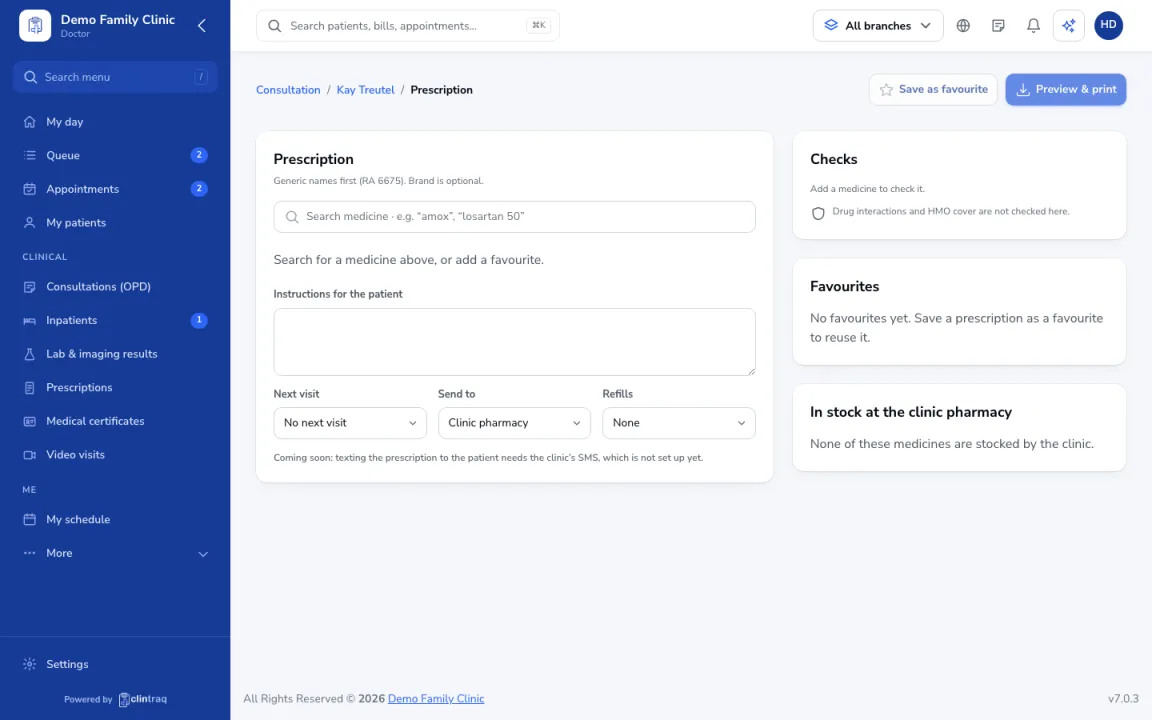
Add medicines
Add medicines by generic name (brand is optional, per RA 6675), with dose, how often and how long. Use Favourites for common sets.
Check the warnings
Check the warnings on the right: allergies, interactions and HMO coverage.
Send or print
Add instructions and the next visit, choose where to send it (clinic pharmacy and/or text to the patient), then click Preview & print.
On the phone
In the staff app (doctor), open Consult › Rx.
Tip If a medicine clashes with a recorded allergy, Clintraq stops you and suggests safer options. You need to give a reason to override.
Was this article helpful?