

Appointments & queue
A calmer waiting room, from booking to check-out.
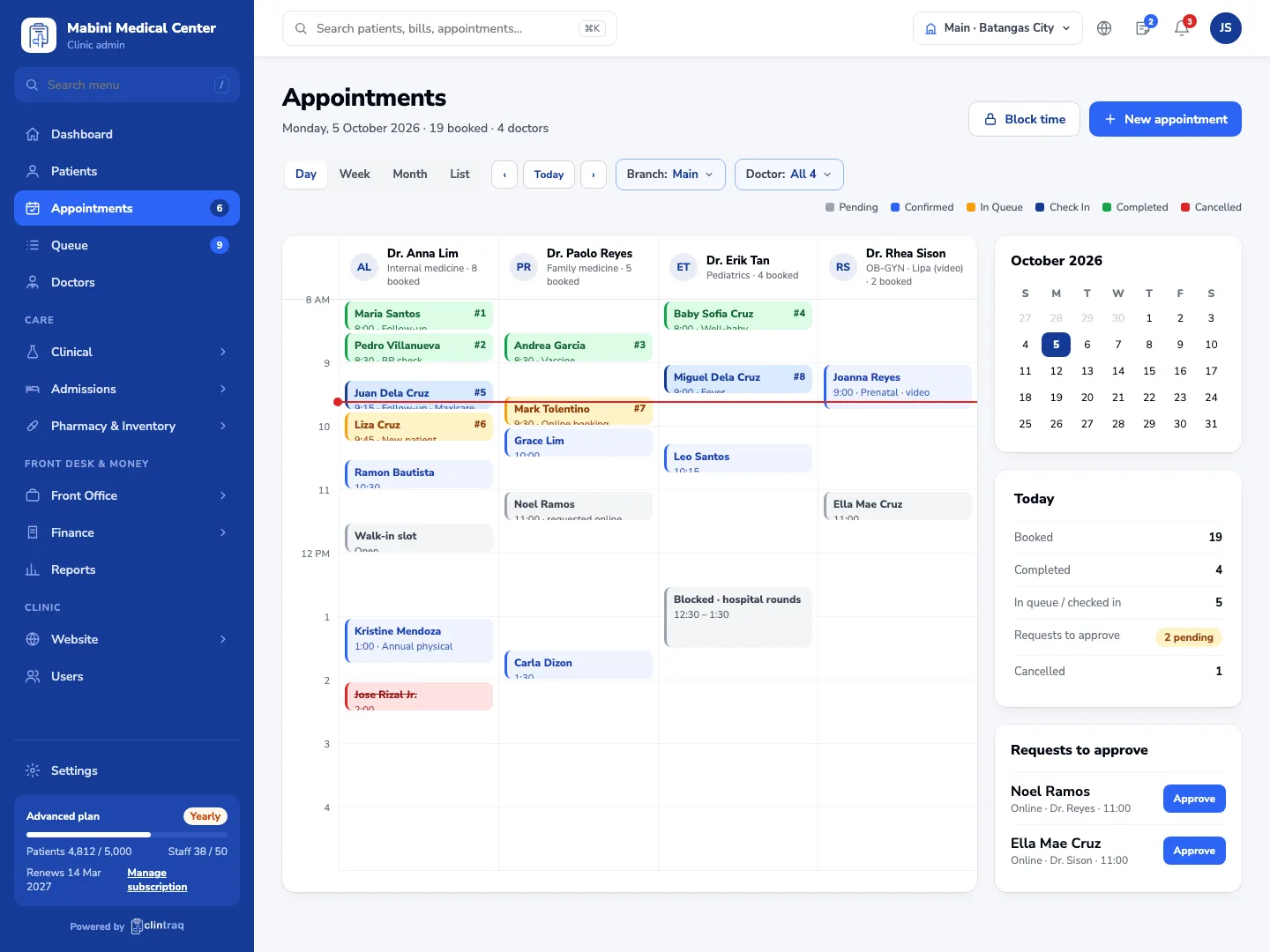
Bookings from your website, phone and walk-ins land in one calendar, with a live queue everyone can see and text reminders that cut no-shows.
Where the day goes wrong today
Phones ring all dayThe front desk spends the morning taking bookings instead of patients.
No-showsPatients forget, and the slot sits empty while others wait.
A crowded waiting roomNo one knows who is next or how long the wait will be.
How it works
From the first booking to the doctor’s room, in five connected steps.
- STEP 1 Book Patients pick a doctor and time on your website — no password.
- STEP 2 Remind A text reminder goes out before the visit.
- STEP 3 Check in At the desk, on a kiosk or from the patient’s phone.
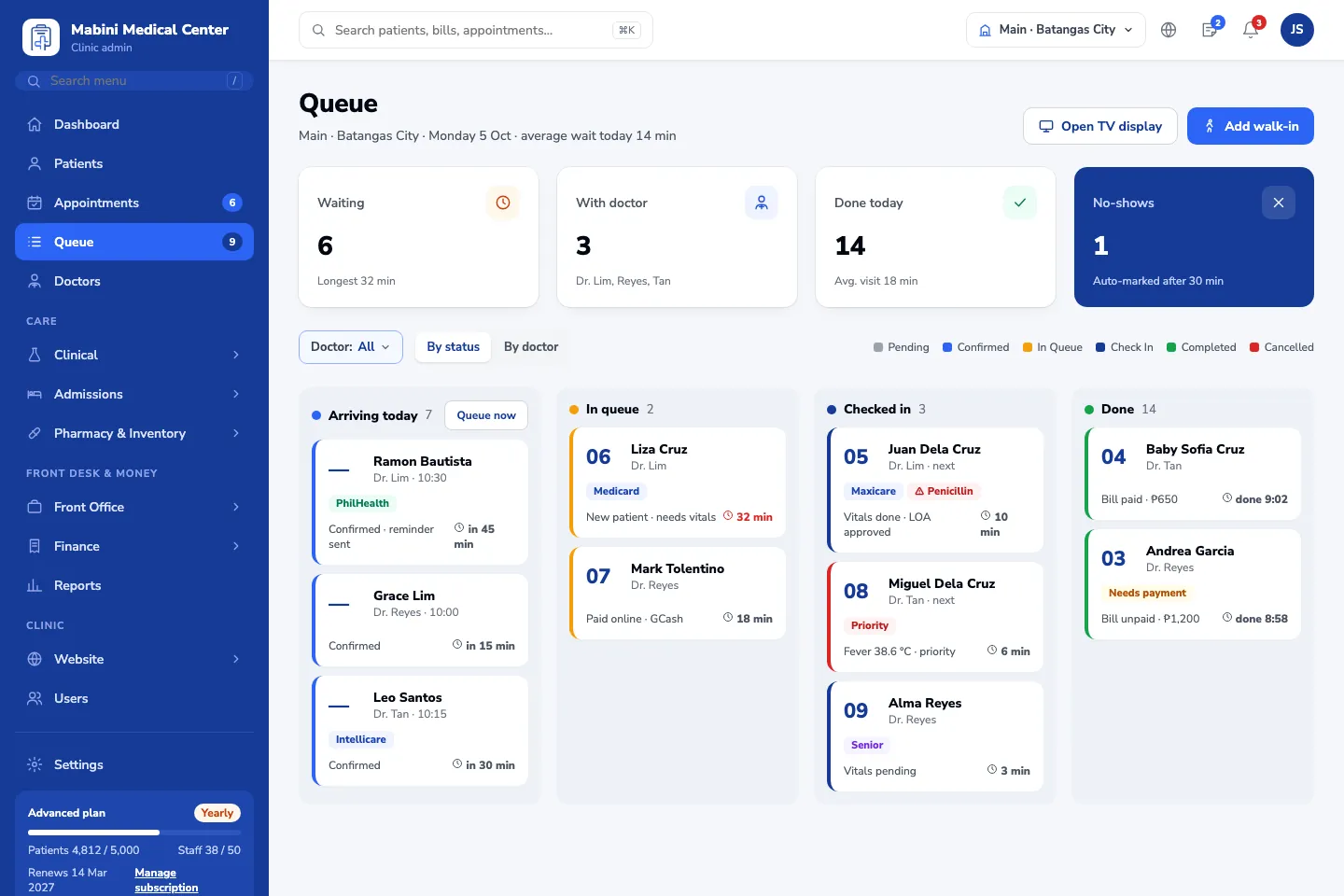
- STEP 4 Queue Numbers on the TV; the doctor calls the next patient.
- STEP 5 Follow up The next visit is booked before the patient leaves.
Fewer no-shows
Text reminders go out on their own.
A shorter queue
Everyone sees who is next, from the desk to the TV.
Every branch, one calendar
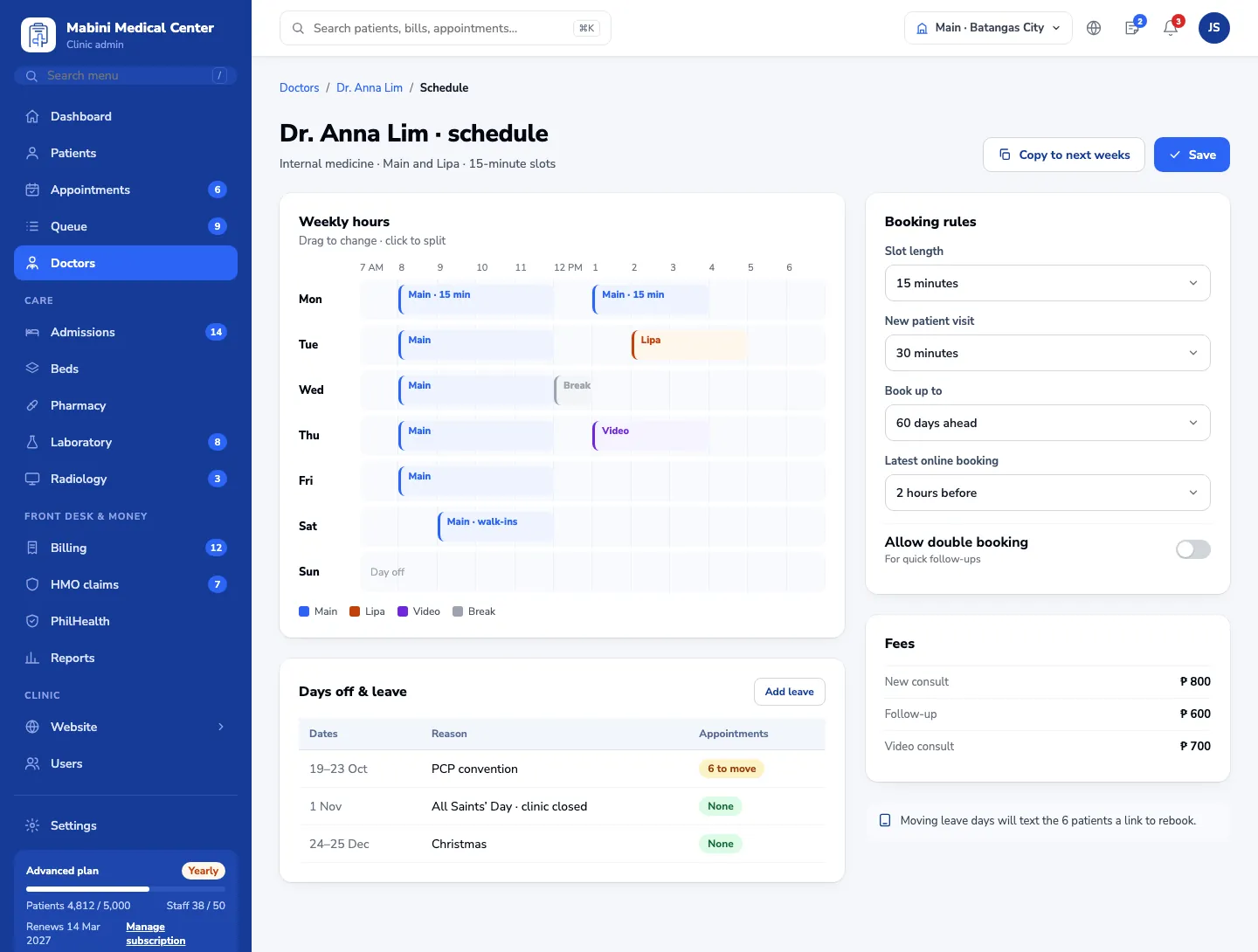
Doctor schedules across branches without double booking.
Questions, answered
Do patients need an account to book?
No. They confirm with a code sent to their mobile number.
Can doctors work in more than one branch?
Yes. Each doctor’s weekly hours are set per branch, and bookings respect them.
Can we do video visits?
Yes. Video visits are booked like any other, with notes and orders in the same screen.
Ready to see Clintraq with your own clinic?
Start free for 14 days, or let us show you around in a 30-minute demo.
No credit card needed · Free data import · Filipino support team