

Patients & records
One record your doctors trust, for every patient.
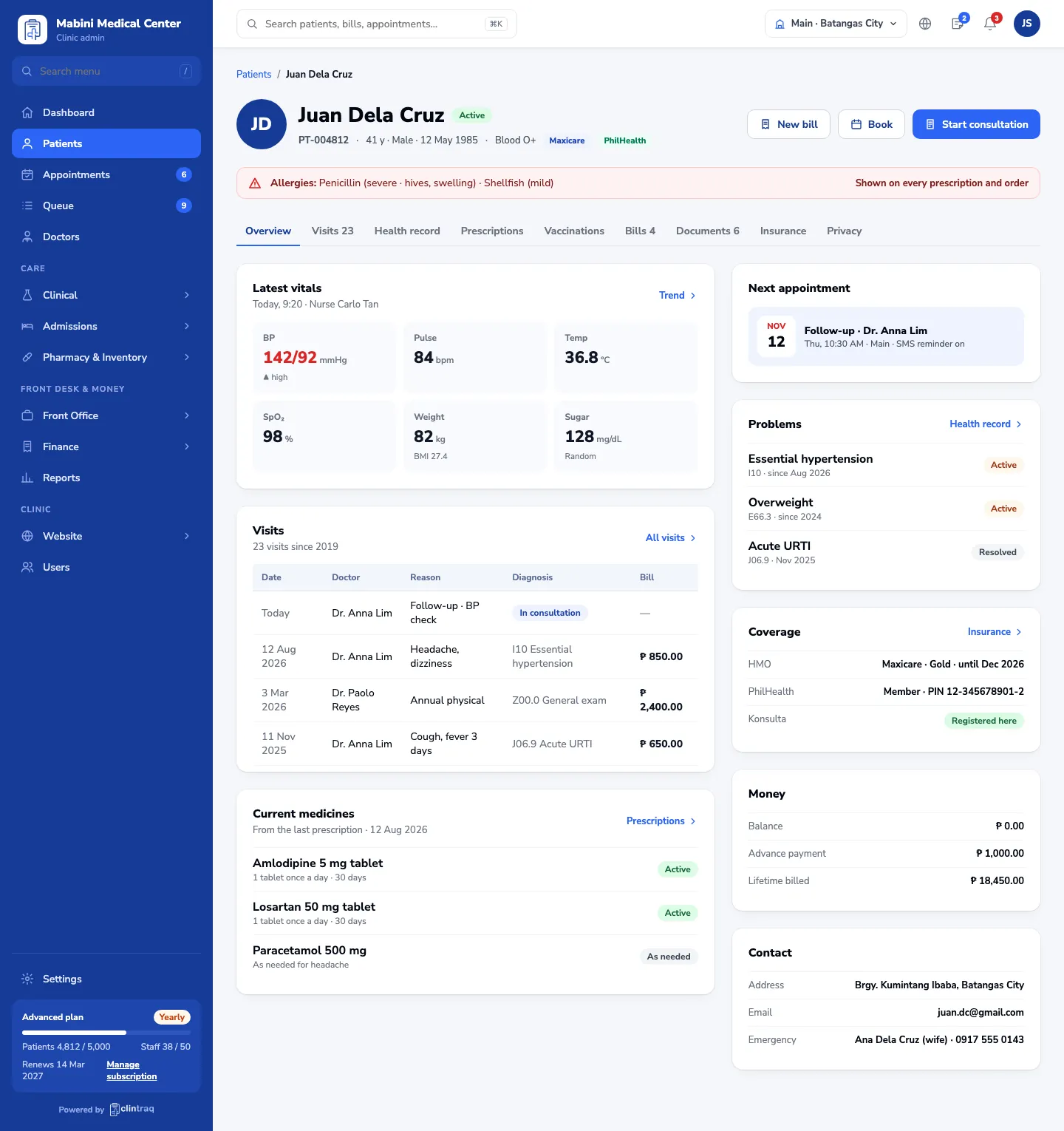
Every visit, note, prescription, result and document in one place — with allergies and problems on every screen, so nothing is missed.
Where records go wrong today
Charts on paperThe folder is in another branch, or no one can read the handwriting.
Allergies missedAn allergy noted years ago never reaches the doctor writing today’s prescription.
Results lostLab and X-ray results arrive by text or paper and never reach the chart.
How it works
From registration to the next visit, in one connected record.
- STEP 1 Register Details, family, HMO and PhilHealth, with consent on file.
- STEP 2 Vitals The nurse records vitals; the doctor sees them before the visit.
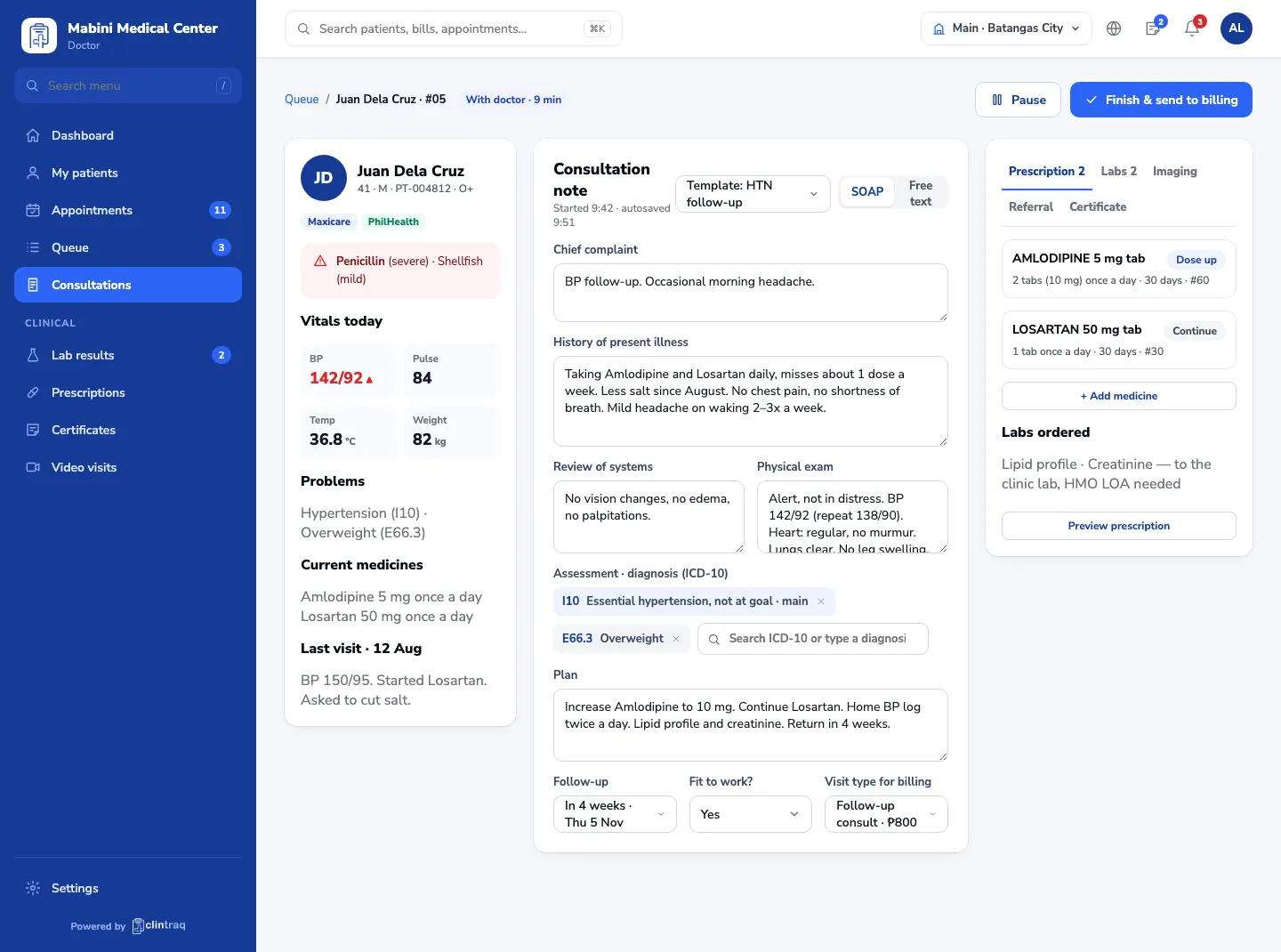
- STEP 3 Consult SOAP note with templates and ICD-10 search.
- STEP 4 Orders Prescriptions, lab and imaging go out from the same screen.
- STEP 5 Results Results come back to the chart with the doctor’s note.
Safer prescribing
Allergy checks stop risky medicines before they’re written.
Shorter visits
History, problems and last visit are ready when the patient sits down.
Private by default
Roles decide who sees what, and every view is logged.
Questions, answered
Can we bring our existing patient records?
Yes. Send us your patient list from Excel or your current system and we import it for free.
Does it have a dental chart?
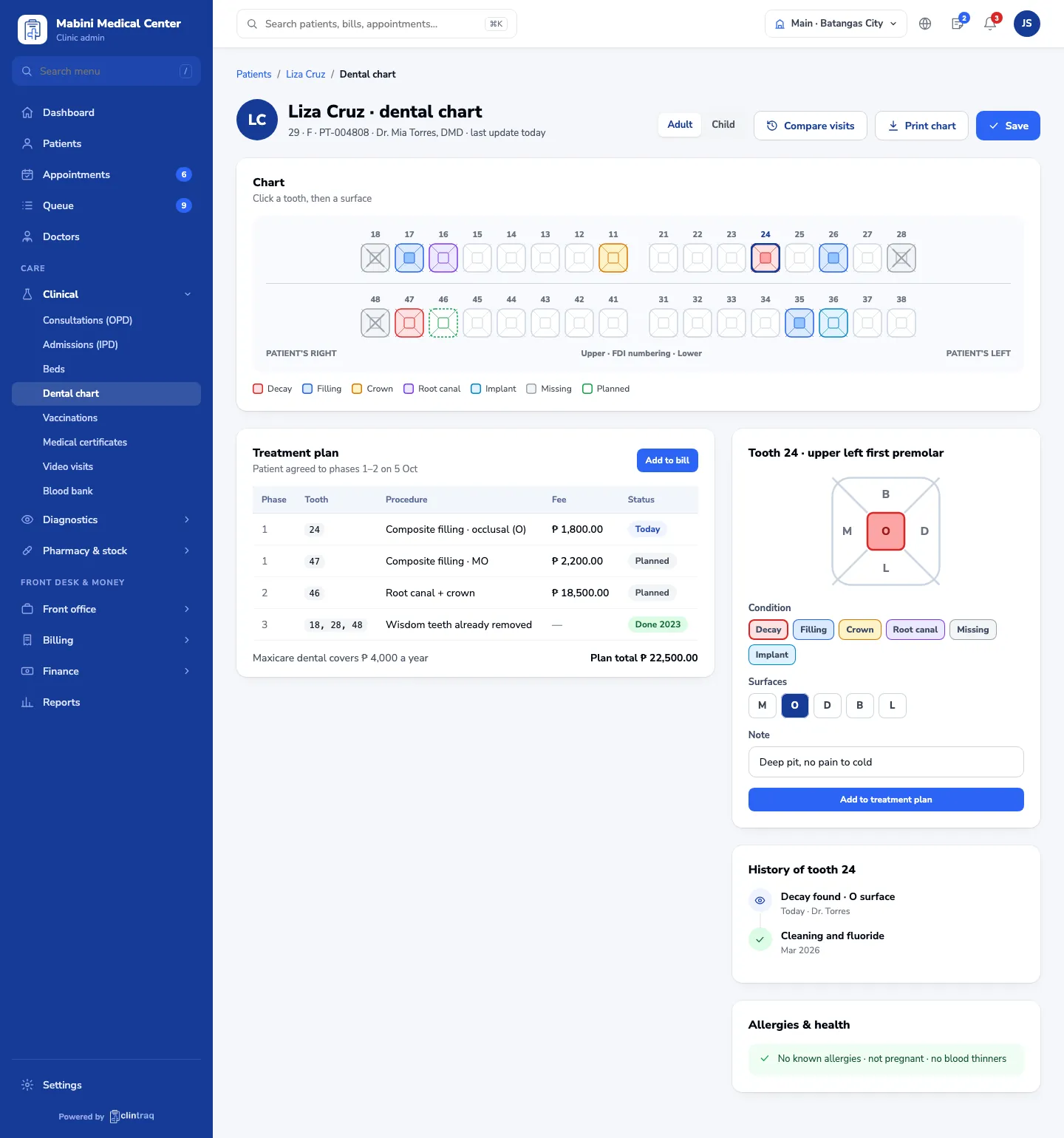
Yes. The dental chart records each tooth and surface, the treatment plan and the tooth’s history.
Who can see a patient’s record?
Only staff whose role allows it. Every view and change is recorded in the access log.
Ready to see Clintraq with your own clinic?
Start free for 14 days, or let us show you around in a 30-minute demo.
No credit card needed · Free data import · Filipino support team