

Billing, HMO & PhilHealth
Stop losing money between the visit and the claim.
Clintraq turns every visit into a correct bill, an approved LOA and a ready claim — and tells you before a filing deadline passes.
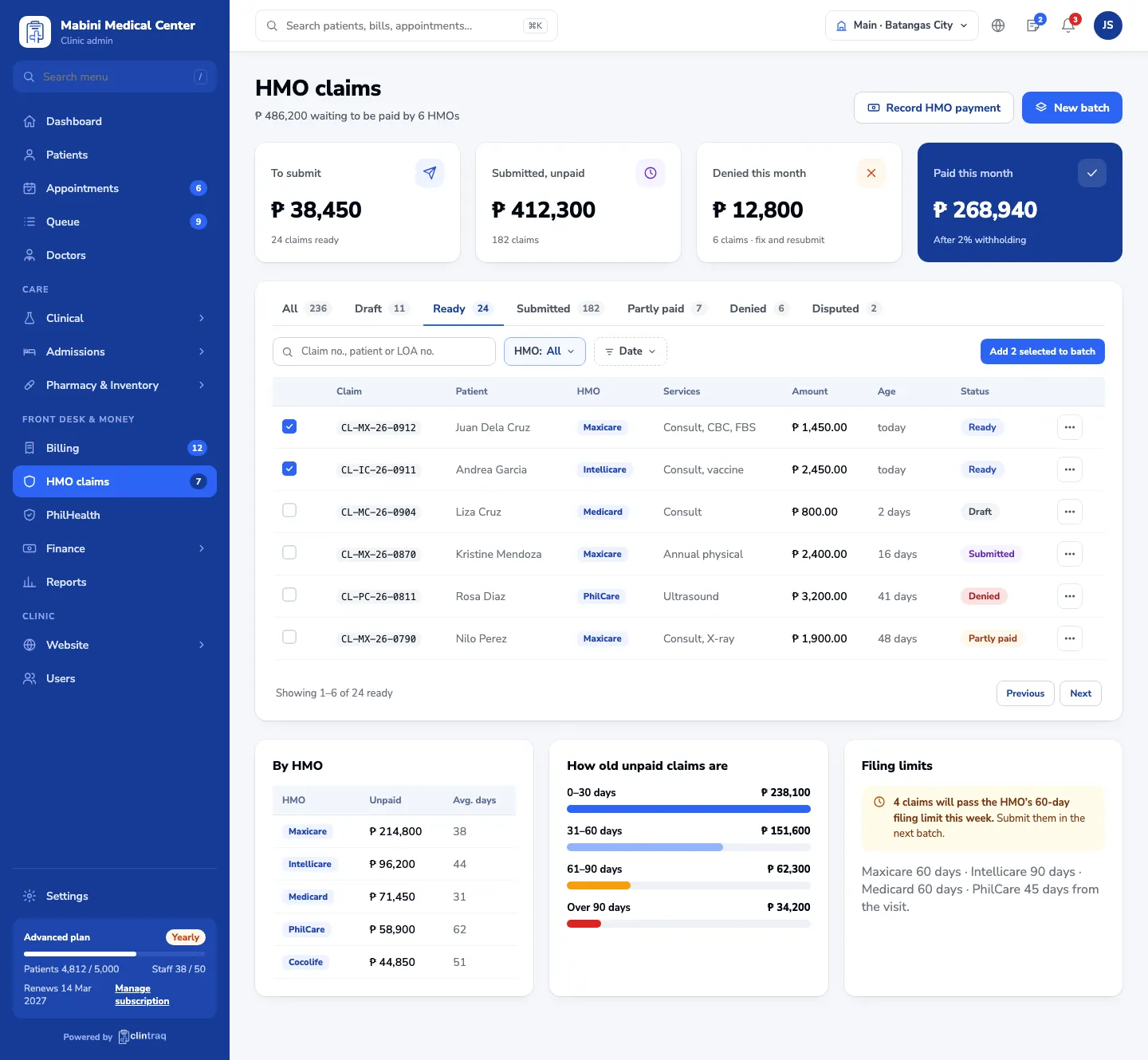
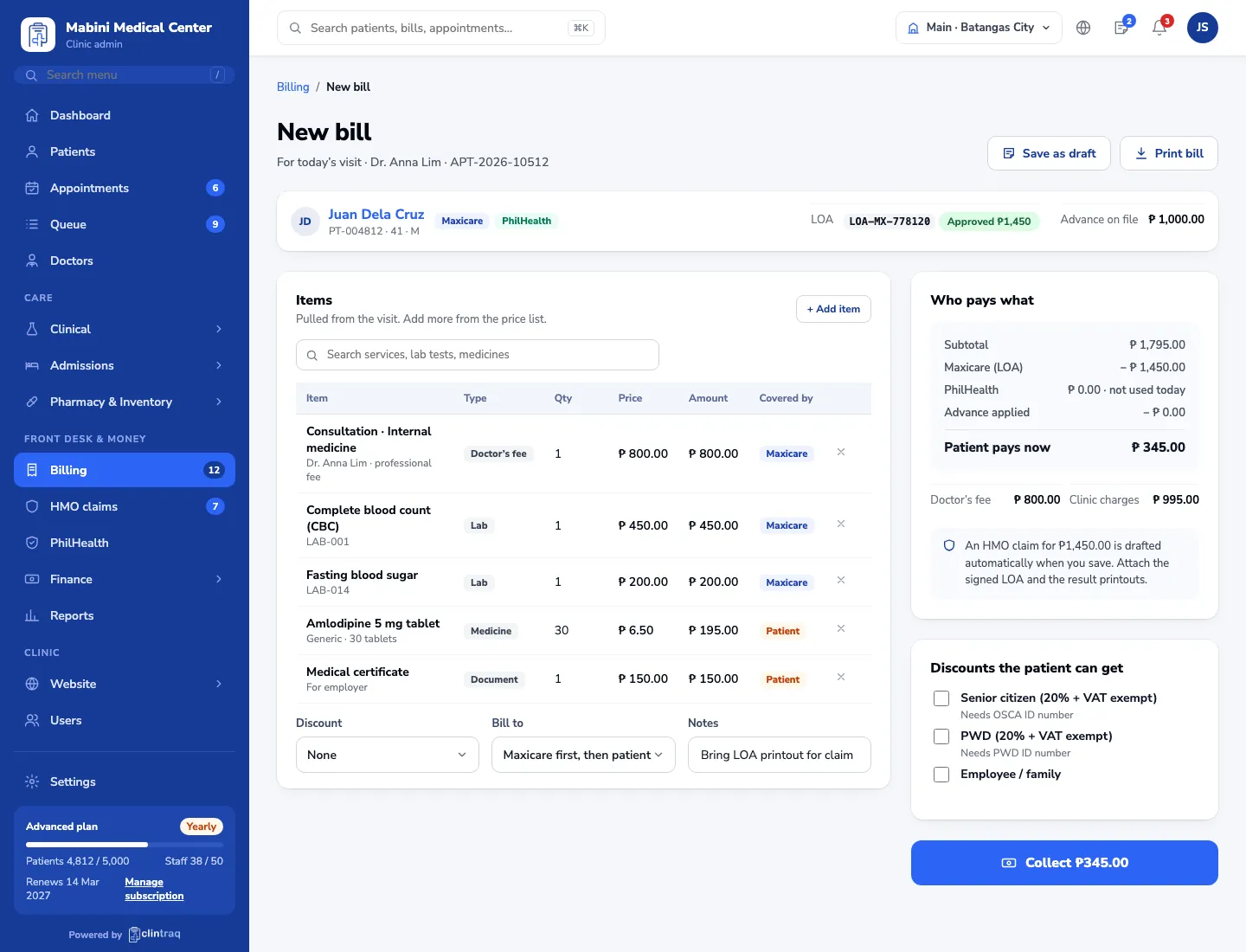
Where clinics lose money today
Claims typed twiceBills are written by hand, then re-typed into HMO forms.
Deadlines missedA claim sits in a drawer past the 60-day limit and is lost.
Short payments unnoticedHMO remittances are deposited without checking each claim.
How it works
From check-in to the HMO’s check, in five connected steps.
- STEP 1 LOA Request approval and check the yearly limit at check-in.
- STEP 2 Bill HMO pays first; the patient pays only what isn’t covered.
- STEP 3 Claim Drafted automatically with the attachments checklist.
- STEP 4 Batch Group ready claims per HMO and print the transmittal.
- STEP 5 Payment Match remittances, 2% withholding and short payments.
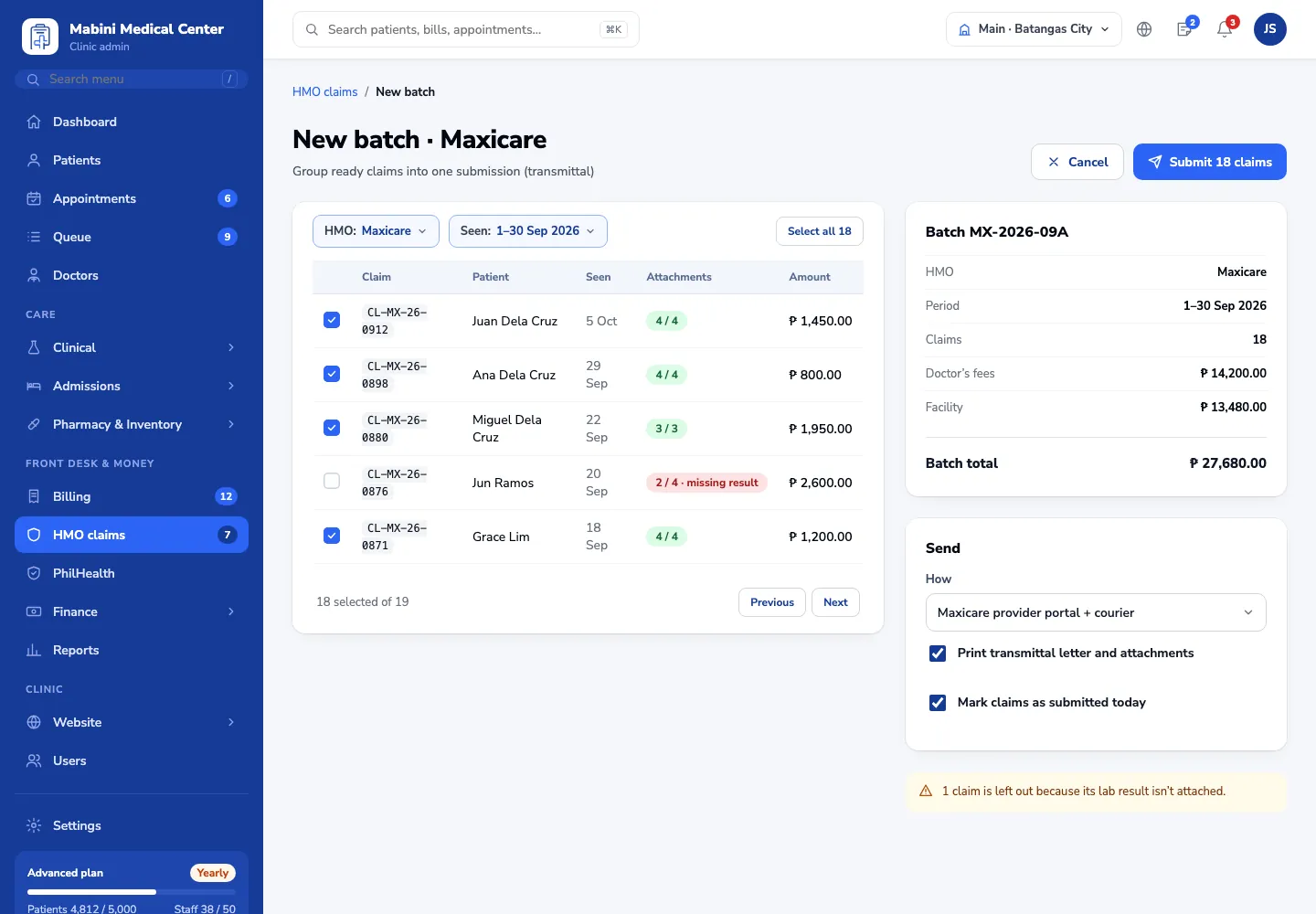
Fewer denials
Missing documents are caught before you submit.
Faster collection
See every peso still owed, by HMO and by age.
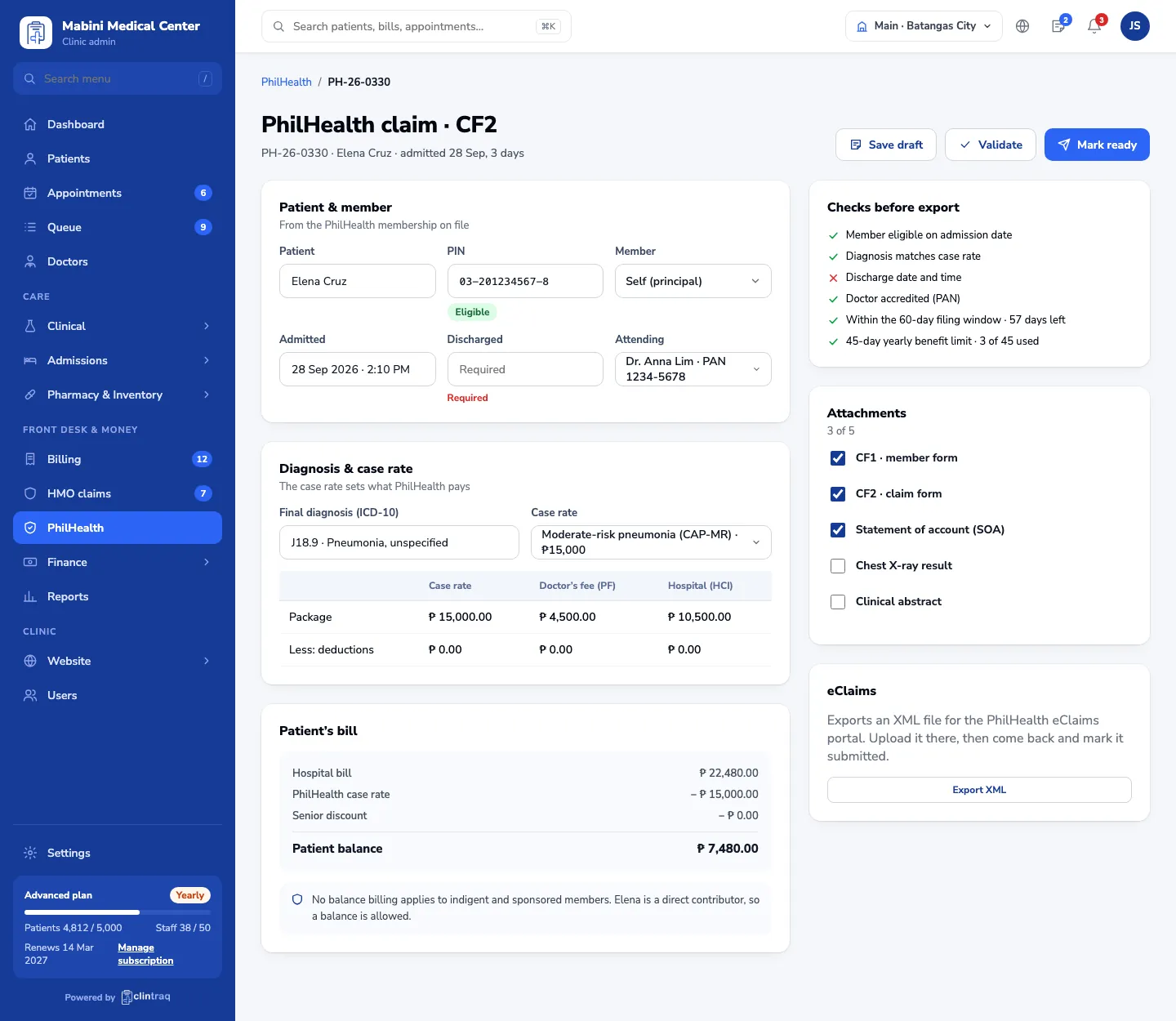
PhilHealth done right
Case rates, CF2 checks and eClaims export built in.
Questions, answered
Which HMOs are supported?
All of them. You add each HMO with its price list, filing limit and payment terms.
Can we file PhilHealth eClaims?
Yes. Clintraq checks each CF2 claim against your case rates and exports the file for eClaims.
How are doctor fees handled?
Each doctor’s professional fee is split out on the bill and tracked through to the HMO or PhilHealth payment, so you can see what is owed to each doctor.
Ready to see Clintraq with your own clinic?
Start free for 14 days, or let us show you around in a 30-minute demo.
No credit card needed · Free data import · Filipino support team