

Write a consultation note and prescription
For doctors: record the visit, order labs and print a prescription.
Start the visit
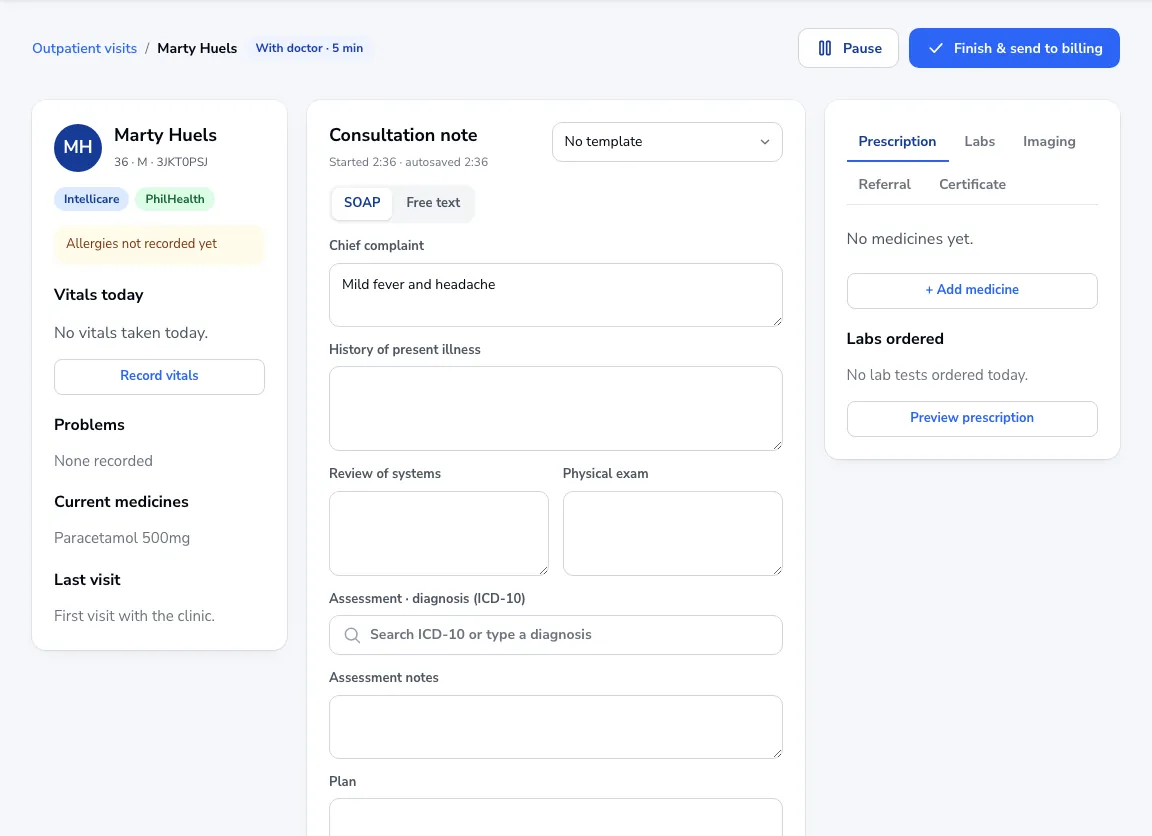
Open the patient from your queue and click Start consultation. Their allergies, problems, current medicines and today’s vitals are on the left.
Write the note
Use SOAP or Free text: chief complaint, history, review of systems, physical exam, assessment with an ICD-10 diagnosis, and plan. The note saves as you type. Save a note you reuse as a template.
Orders
Add medicines, lab tests, imaging, a referral or a certificate from the tabs under the note. Ordered lab tests go straight to the lab worklist.
The prescription
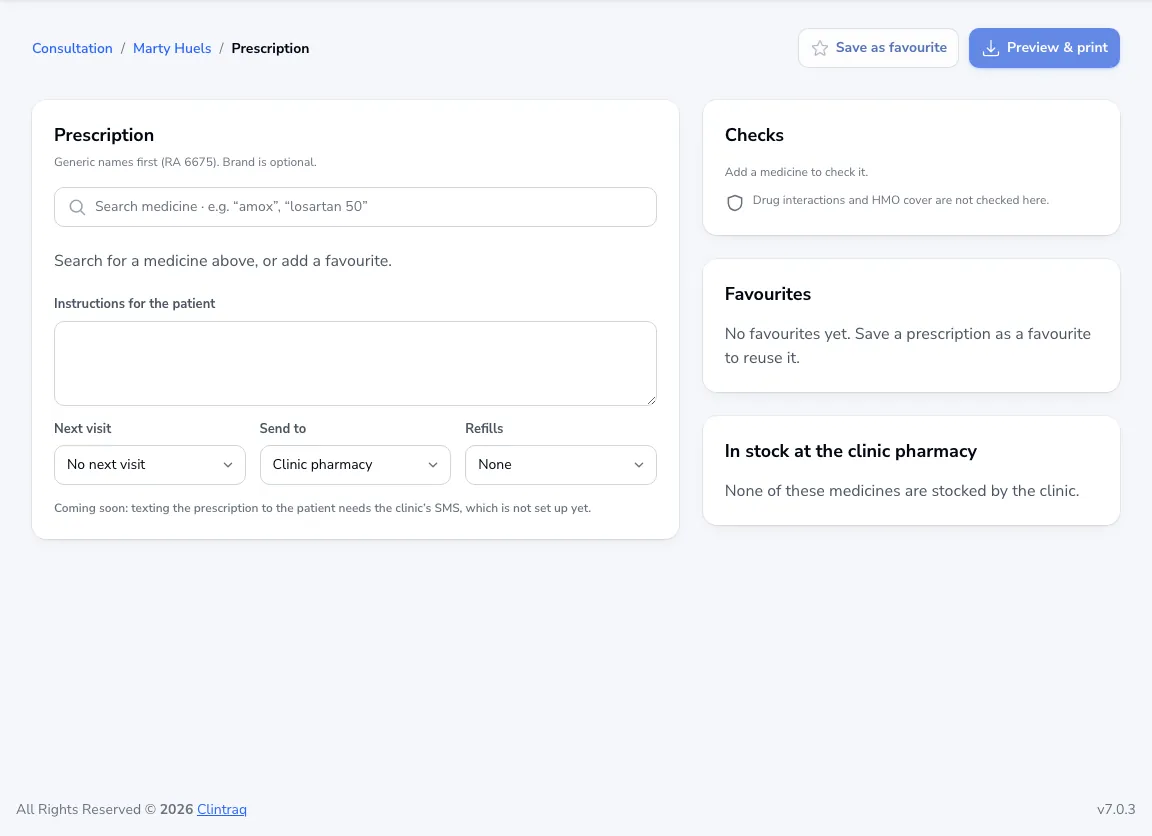
Generic names come first (RA 6675). Choose where it goes: the clinic pharmacy or print only. Save a prescription you use often as a favourite, then Preview & print.
Finish
Set the follow-up and the visit type for billing, then click Finish & send to billing.