

Register a new patient
Register in 30 seconds with the quick form, or fill in everything at check-in.
Open the form
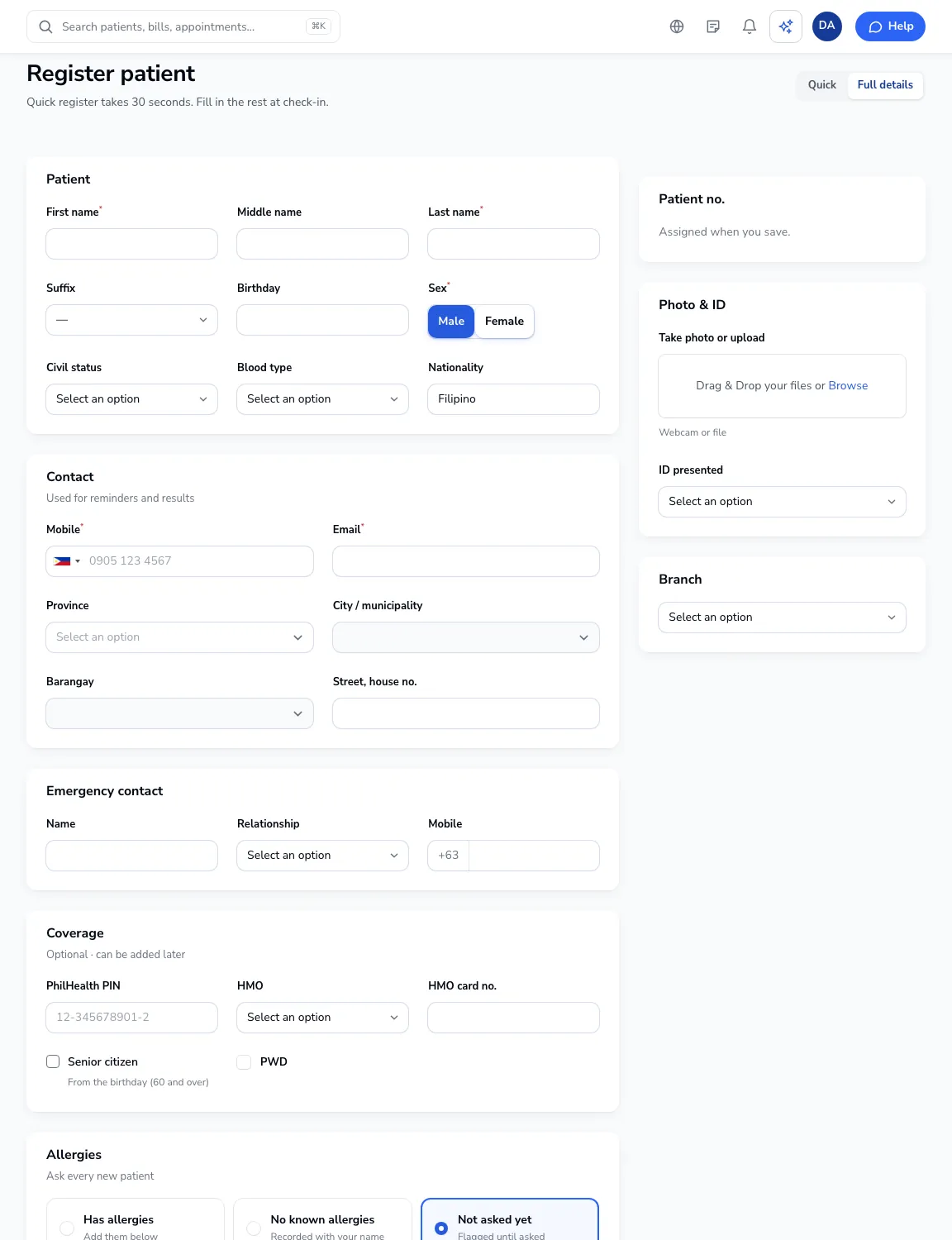
Click Register patient on the dashboard or the Patients list. Choose Quick for name, sex, mobile and email only, or Full details.
Patient and contact
Enter the name, birthday and sex, then mobile and email. Add the address with province, city and barangay.
Coverage
Add the PhilHealth PIN and HMO card if they have one. Senior citizen is ticked from the birthday (60 and over); tick PWD if it applies, for the 20% discount on bills.
Allergies
Ask every new patient. Choose Has allergies, No known allergies or leave Not asked yet, which keeps a flag on the chart until someone asks.
Consent
Tick that the patient agrees to the clinic’s privacy notice. This is required under the Data Privacy Act.
Save
Click Save patient, or Save and book appointment to go straight to booking. The patient number is assigned when you save.