

Find a patient and open their chart
Search from anywhere, then see visits, medicines, coverage and balance on one page.
Search
Type in the search box at the top of any page, or press ⌘K (Ctrl K on Windows). You can search by name, mobile, patient number or HMO card.
The patient page
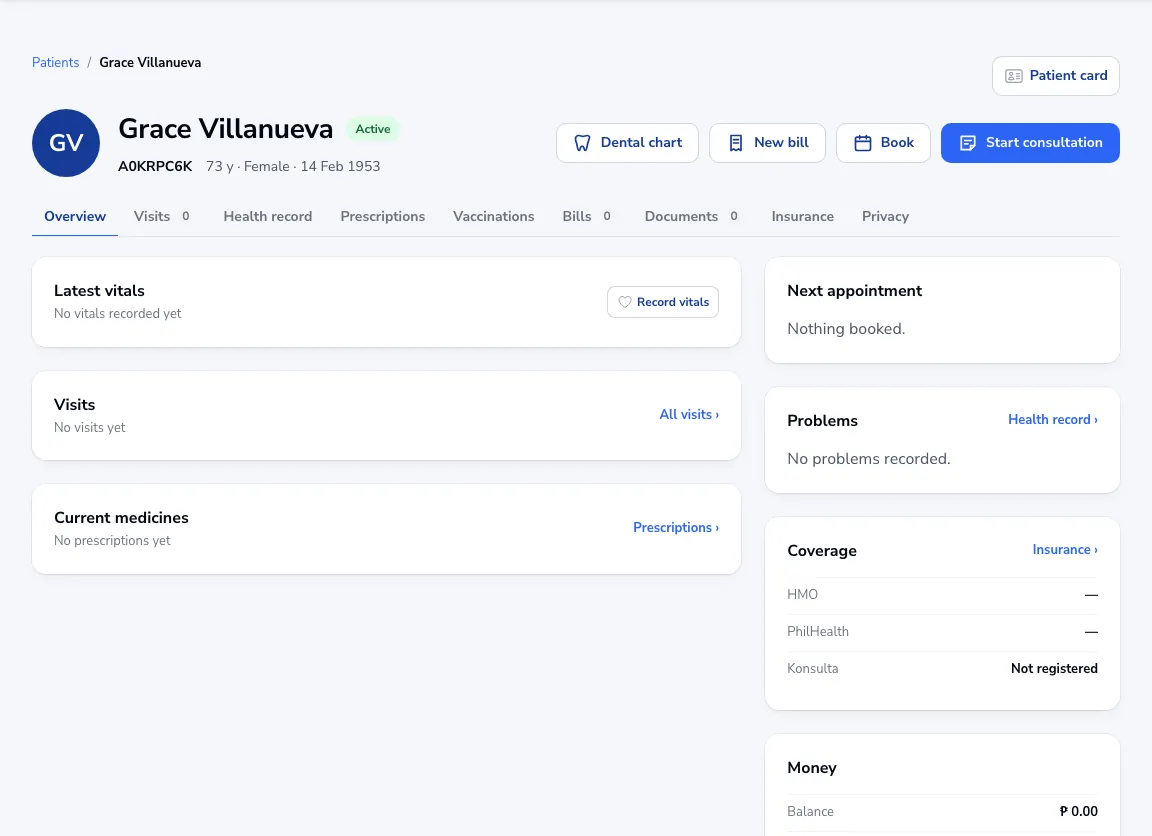
The overview shows the latest vitals, recent visits, current medicines, the next appointment, problems, coverage and money owed. Tabs hold visits, the health record, prescriptions, vaccinations, bills, documents, insurance and privacy.
Act from the chart
Use Book, New bill or Start consultation at the top. Patient card prints a patient ID card.
Tip Opening a chart is recorded in the audit log under “Viewed chart”, as the Data Privacy Act asks.
Was this article helpful?