

Write a consultation note
Write the visit note, add the diagnosis and send the patient to billing when you are done.
Open the patient
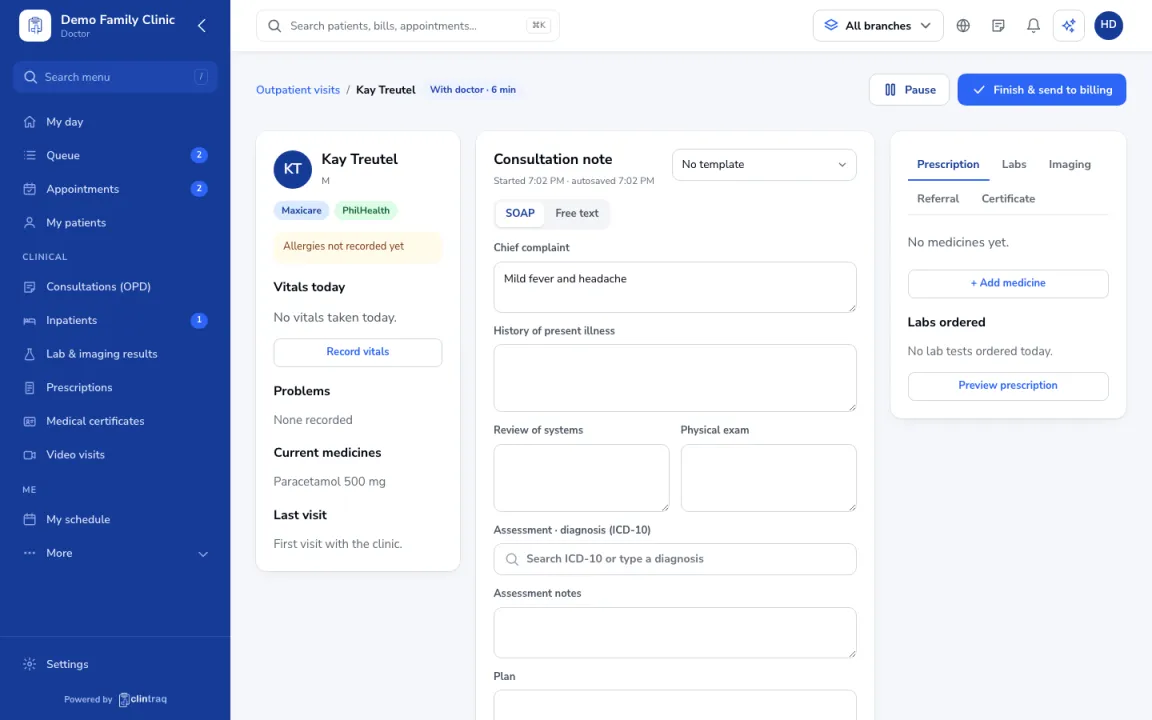
Open the patient from your Queue. The left side shows allergies, vitals, problems, medicines and the last visit.
Write the note
Write the note in SOAP or free text. Pick a template (for example HTN follow-up) to save typing.
Add the diagnosis
Add the diagnosis with ICD-10 codes and mark the main one.
Finish the visit
The note autosaves. When you are done, click Finish & send to billing.
On the phone
In the staff app (doctor), open Queue › patient › Start consult.
Was this article helpful?