

Register a new patient
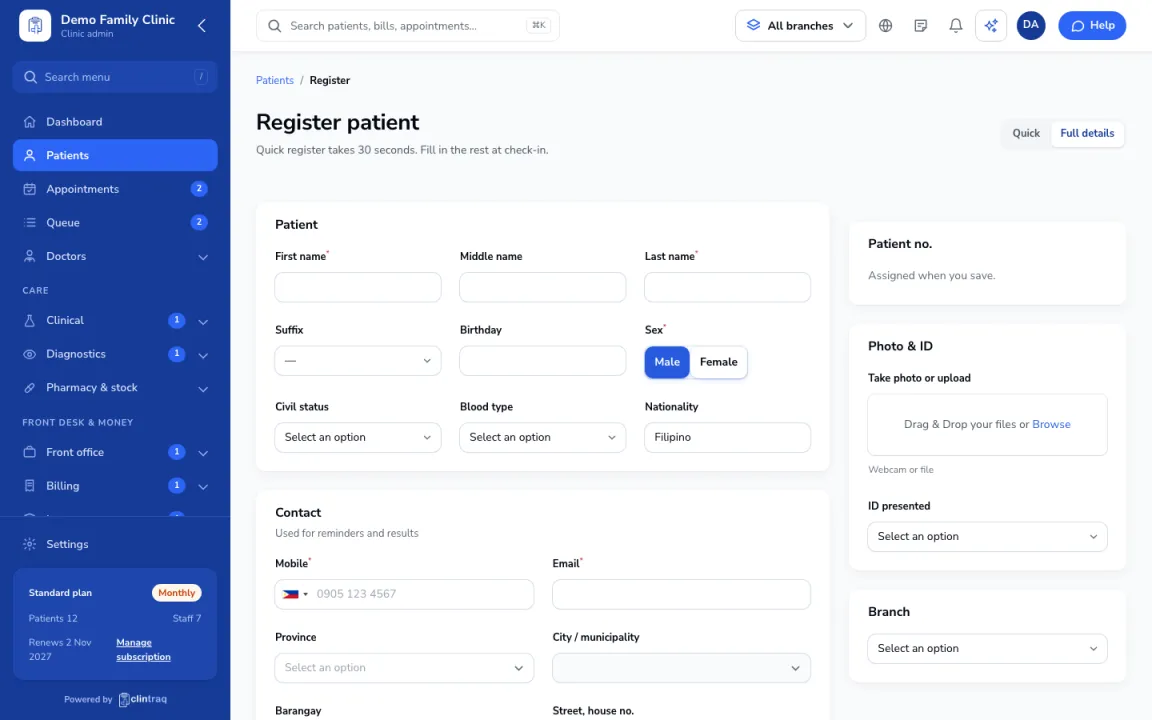
- Click “Register patient” (on the Dashboard or in Patients).
- Use “Quick” for name, birthday, sex and mobile (about 30 seconds). Fill in the rest at check-in with “Full details”.
- Ask about allergies every time: pick “Has allergies” and add them, or “No known allergies”. If you skip it, the patient stays flagged until someone asks.
- Tick the privacy consent (required under the Data Privacy Act) and the reminder options the patient agrees to.
- Click “Save patient”, or “Save and book appointment” to go straight to booking.
Note: If Clintraq finds a patient with the same name and birthday, it shows “Possible duplicate”. Open that record instead, or click “Not the same person”.
On the phone: Staff app: Front desk › Register patient
Was this article helpful?