

Make a medical certificate
Create a medical certificate with a QR code employers can check, and charge it to the bill if you want.
Start a certificate
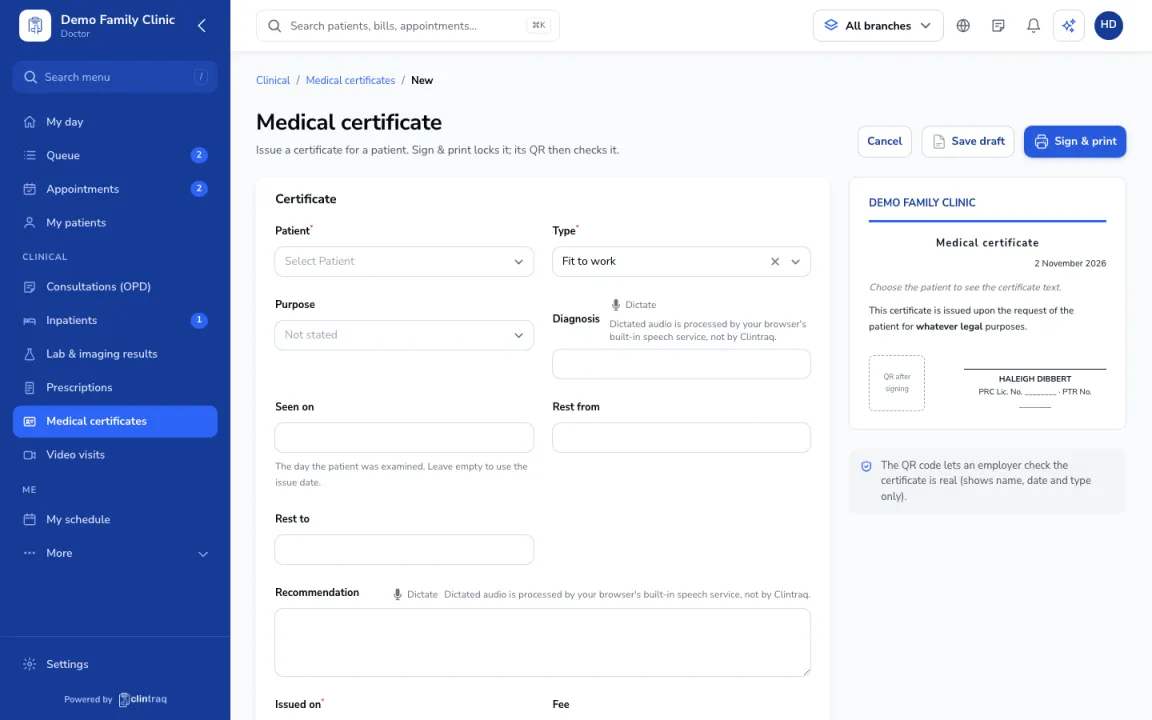
Go to Clinical › Medical certificates and click New, or start it from the visit.
Type and purpose
Pick the type (for example fit to work or sick leave) and purpose. The diagnosis comes from the visit.
Rest dates and privacy
Add rest dates and the recommendation. Tick Hide the diagnosis if the patient prefers employers to see "medical reasons" only.
Sign and print
Choose whether to charge it to the bill, then click Sign & print. The QR code lets employers check it is real.
On the phone
In the staff app (doctor), open More › Certificates.
Was this article helpful?