

Sign in a visitor or watcher
Log visitors and watchers in and out, with who they are visiting and the ID shown.
Sign them in
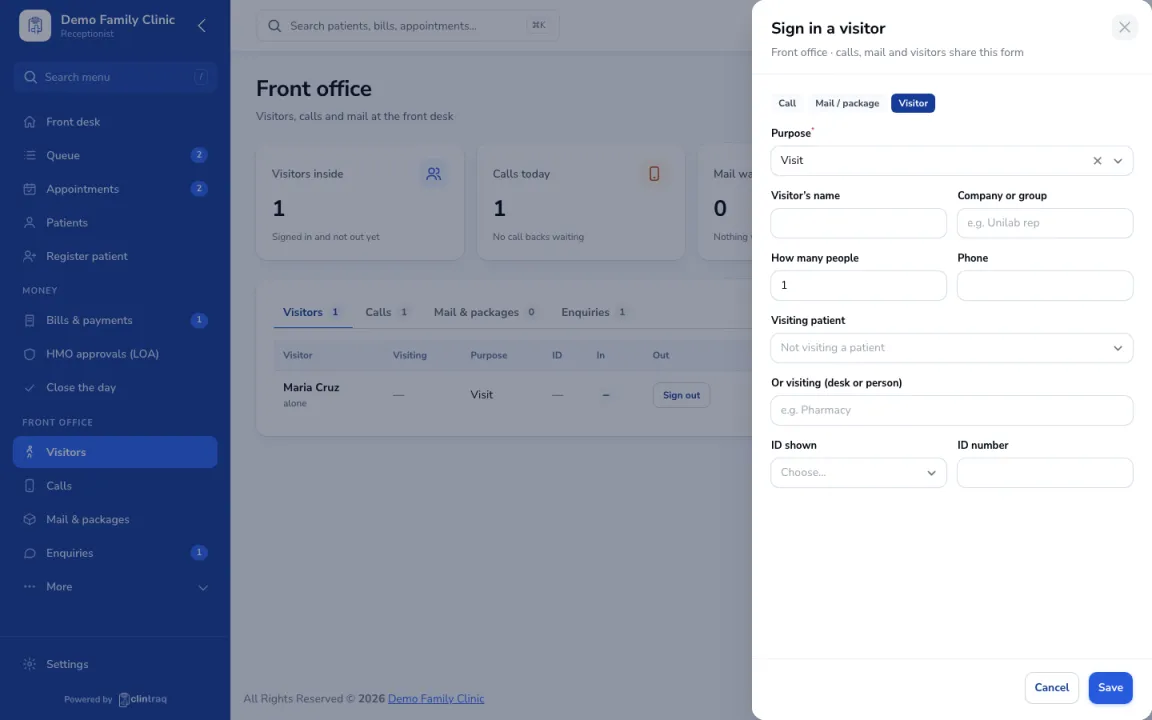
Go to Front office › Sign in visitor and click Sign in visitor. Enter the name, who they're visiting, purpose and the ID shown.
Sign them out
Click Sign out when they leave.
Check the rules
Your visiting rules show at the bottom (for example 1 watcher per patient).
On the phone
In the staff app, open More › Visitors.
Was this article helpful?