

Add a service or change a price
Add a service, set its price and booking options, or import a whole price list from Excel.
Add or open a service
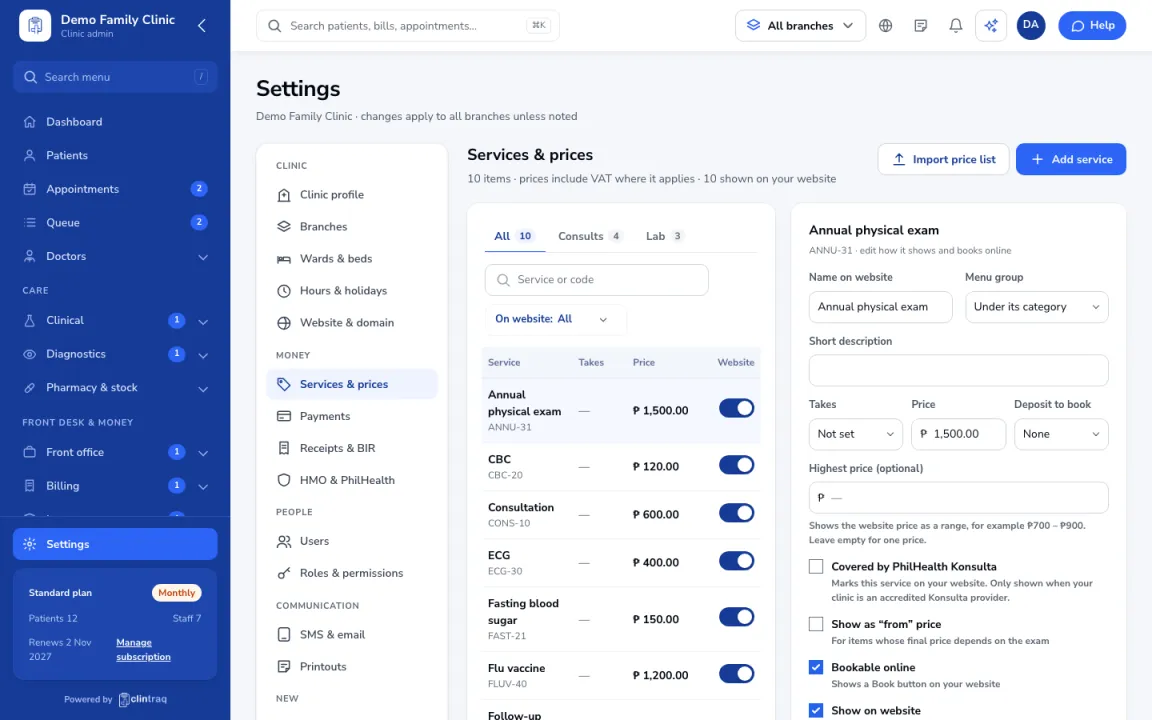
Go to Settings › Services & prices and click Add service, or open one to edit.
Set the details
Set the name, price, how long it takes, and any deposit to book.
Online visibility
Choose whether it's bookable online and shown on your website.
Save
Save. You can also click Import price list to bring it in from Excel.
Was this article helpful?