

Set up your clinic profile
Add your clinic’s name, logo, licences and contact details. They print on receipts and prescriptions and show on your website.
Open Settings
Click Settings at the bottom of the menu. You start on Clinic profile.
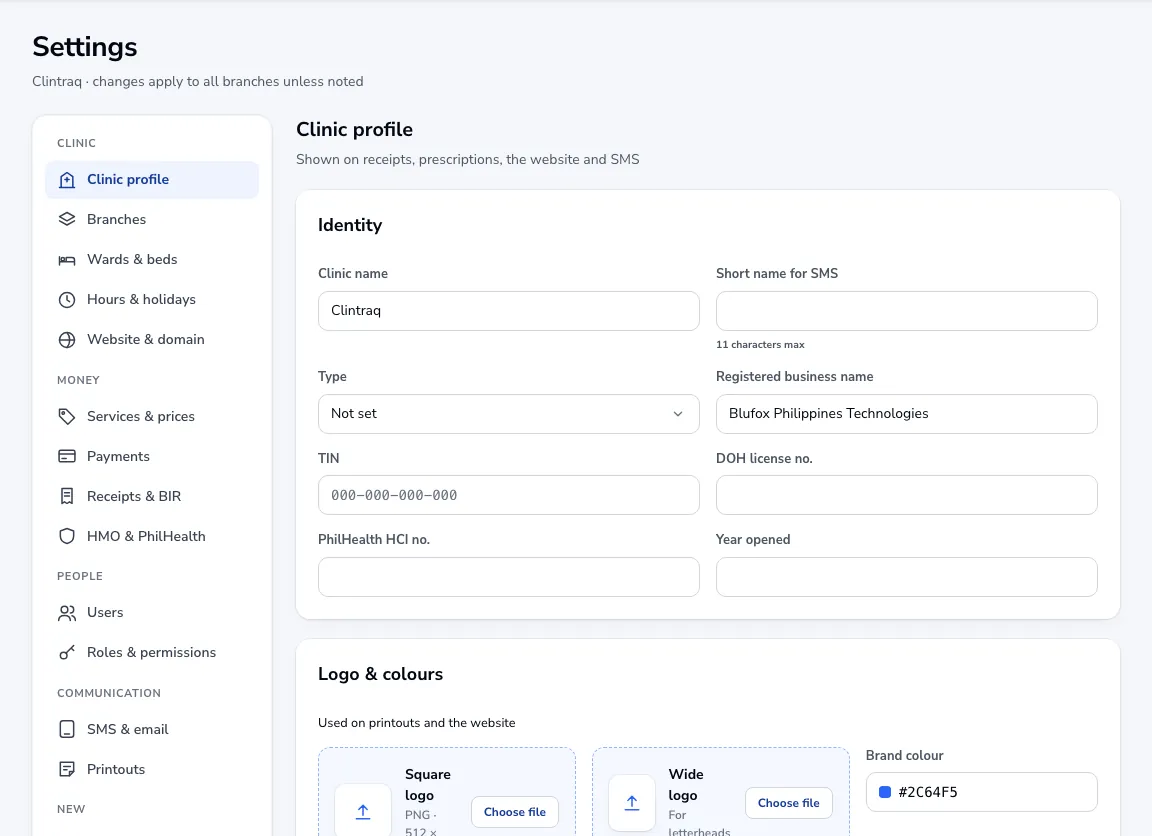
Fill in who you are
Enter the clinic name, the registered business name, TIN, DOH licence number and PhilHealth HCI number if you have one. Pick the kind of clinic under Type.
Add your logo and colour
Upload a square logo (512 × 512 PNG) and, if you have one, a wide logo for letterheads. The brand colour is used on printouts and your website.
Contact and record numbers
Add your main phone, mobile, email and address. Under Record numbers you can put your own letters in front of new patient and admission numbers.
Save
Click Save changes. Every change in Settings is saved to the audit log with your name.
Was this article helpful?