

Add your doctors and their hours
Add each doctor, then set their weekly hours, slot length and fees so the front desk and patients can book them.
Add the doctor
Go to Doctors and click Add doctor. Enter their name, specialty, department, licences (PRC, PTR, S2, PhilHealth PAN) and fees for a new patient, a follow-up and a video visit. You can finish the profile after saving.
Set their weekly hours
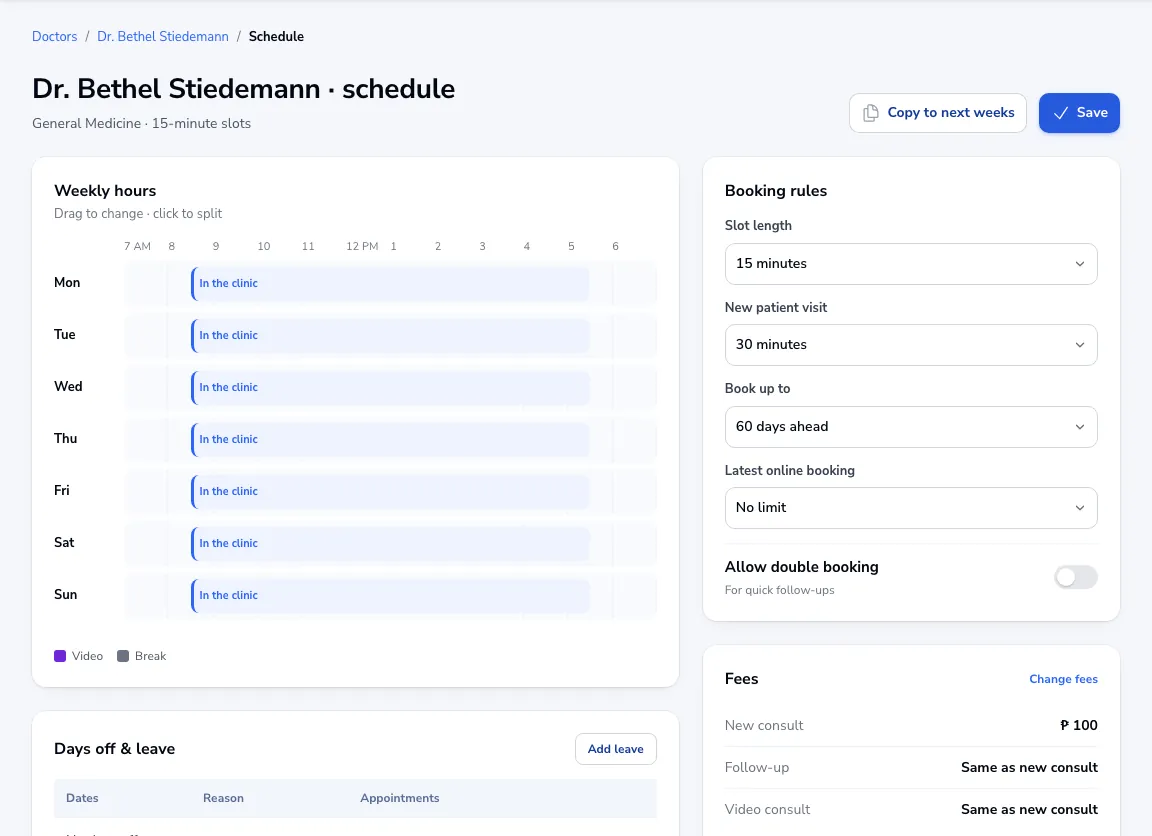
Open the doctor and go to Schedule. Drag on the week to set when they are in the clinic, on video or on a break. Click Copy to next weeks if every week is the same, then Save.
Booking rules
On the same page choose the slot length, how long a new-patient visit takes, how far ahead patients can book and the latest time an online booking is allowed.
Days off
Click Add leave for holidays and days off. Patients already booked on those days are not told automatically: open their appointments and move them.