

Invite your staff
Give each person their own sign-in with the role that matches their job.
Open Users
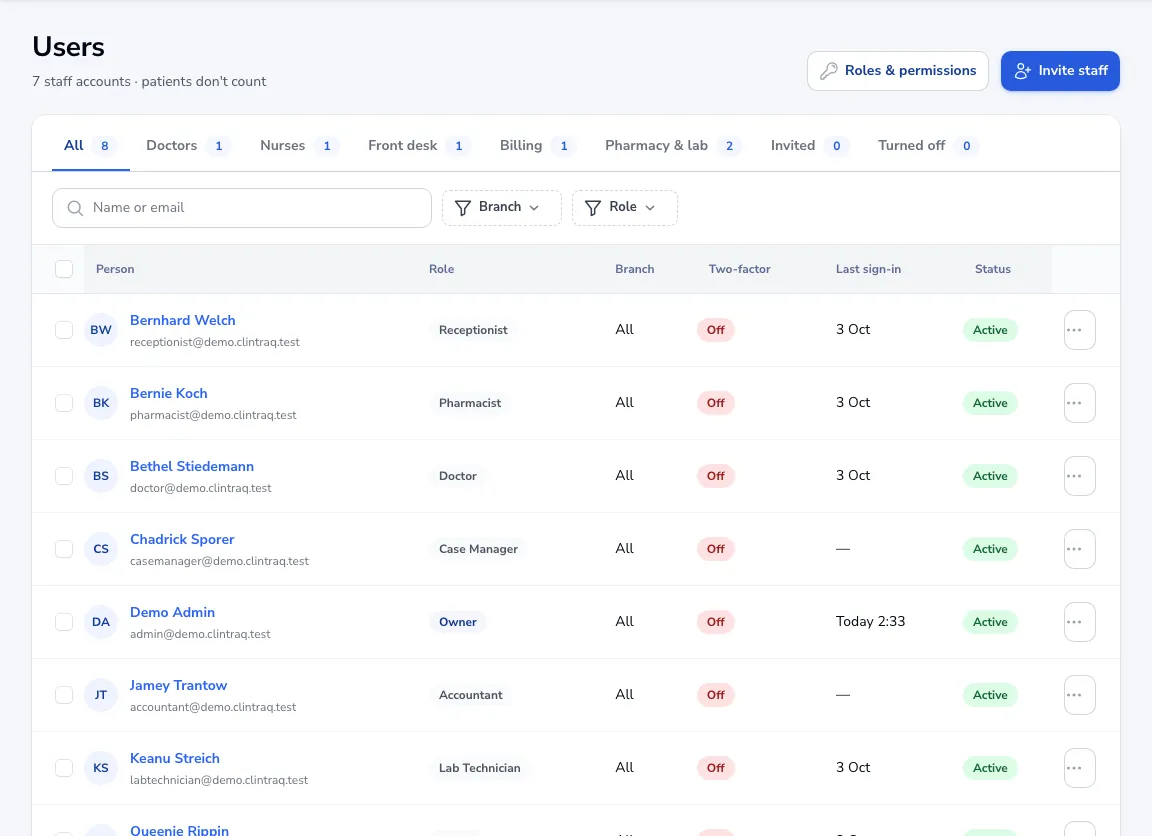
Go to Settings → Users. You see everyone with a sign-in, their role, branch and whether two-factor sign-in is on.
Send an invite
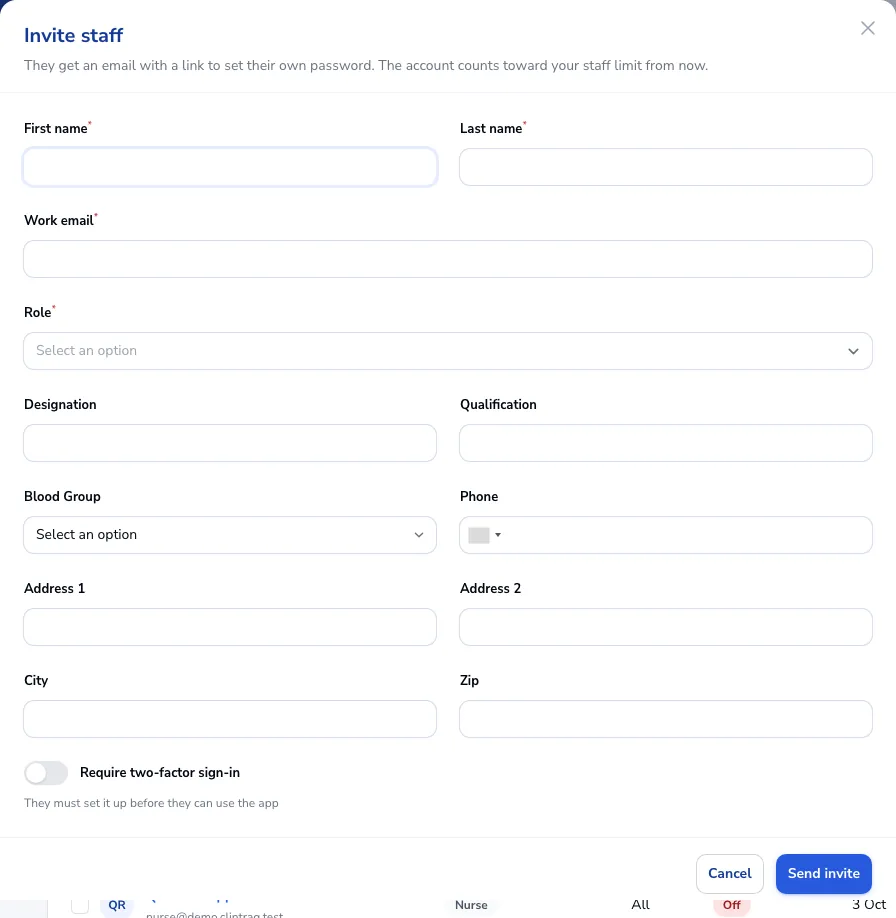
Click Invite staff, enter their name and work email and pick a role: Doctor, Nurse, Receptionist, Pharmacist, Accountant, Case Manager, Lab Technician, Clinic admin, or a custom role you made.
They set their own password
They get an email with a link to set a password. Tick Require two-factor sign-in if they must set it up before using the app.
Tip Each account counts toward your plan’s staff limit from the moment you invite them. Patients don’t count.
Was this article helpful?