

Log an ambulance call
Record an emergency pick-up or scheduled transfer so its charge lands on the patient's bill.
Start a call
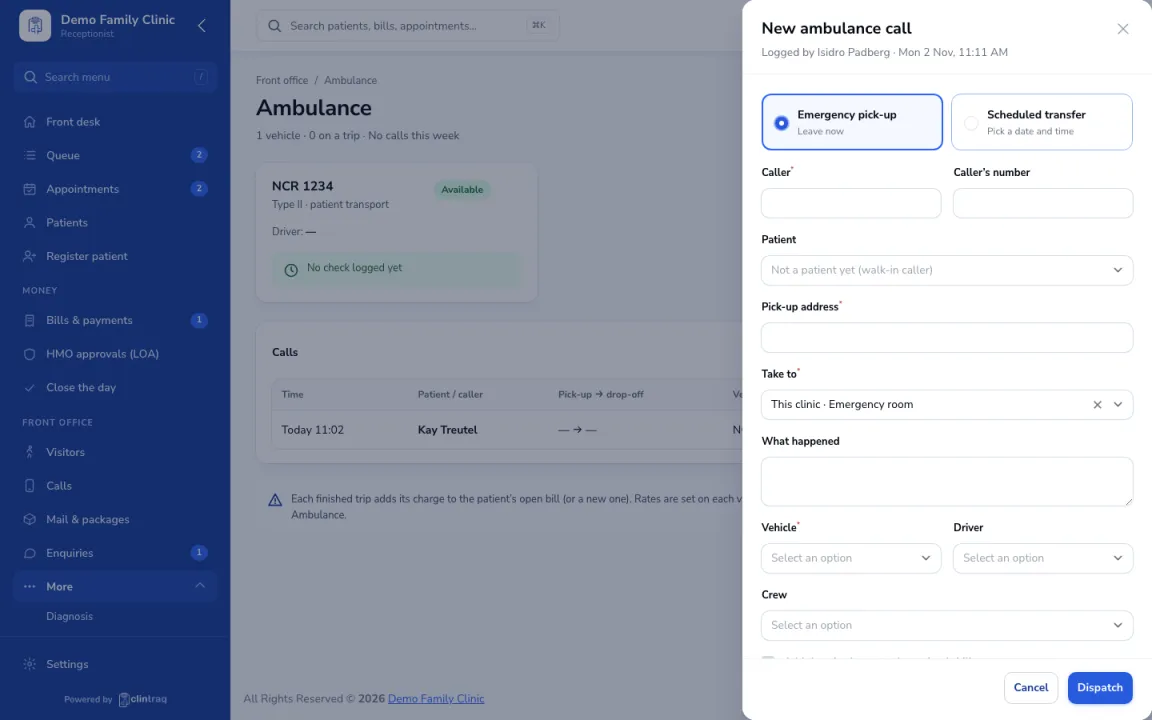
Go to Front office › Ambulance and click New call. Choose emergency pick-up or scheduled transfer.
Enter the trip
Enter the caller, patient, pick-up and drop-off, and pick a vehicle, driver and crew.
Billing
When the trip is done, its charge is added to the patient's bill. Rates come from Settings.
On the phone
In the staff app, open More › Ambulance.
Was this article helpful?