

Accept GCash, Maya and cards online
Connect a payment gateway and choose which methods patients can use at the counter and online.
Connect a gateway
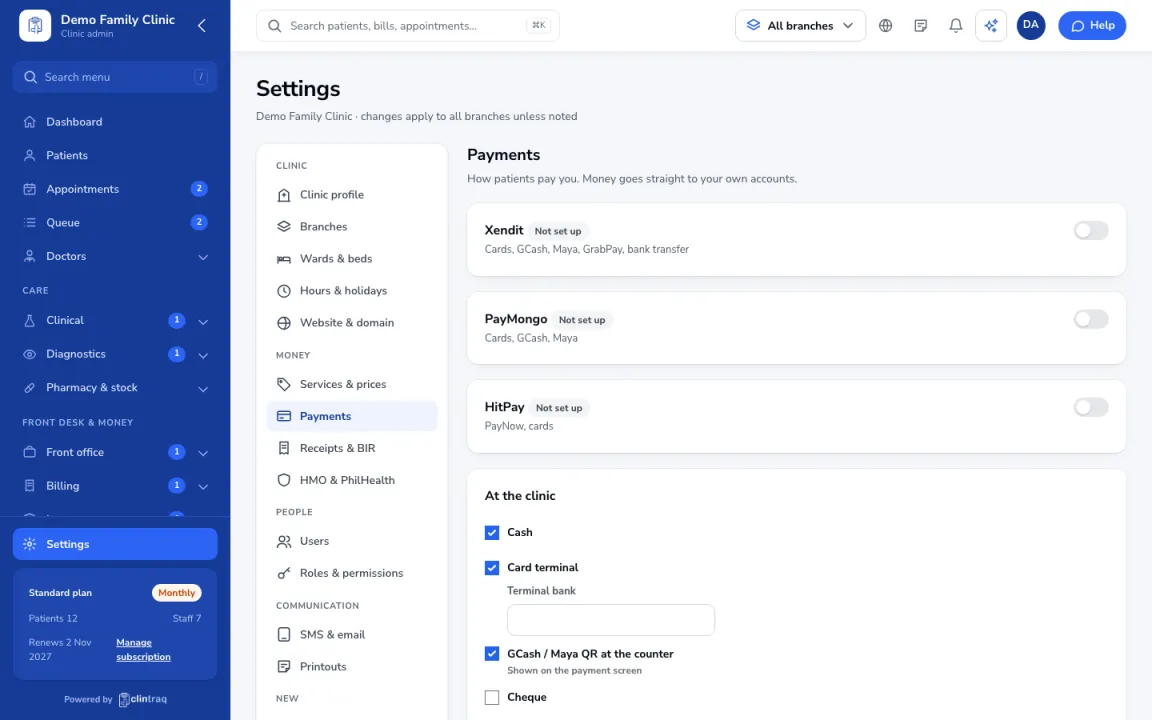
Go to Settings › Payments and connect a gateway (Xendit, PayMongo or HitPay) with your own keys. Money goes straight to your account.
Counter methods
Under At the clinic, turn on the methods your counter accepts and upload your GCash QR.
Online booking payments
Optional: ask for payment when patients book online, with automatic refunds if they cancel early.
Was this article helpful?