

Turn SMS reminders on or off
Switch each SMS and email message on or off, edit the wording and keep an eye on your credits.
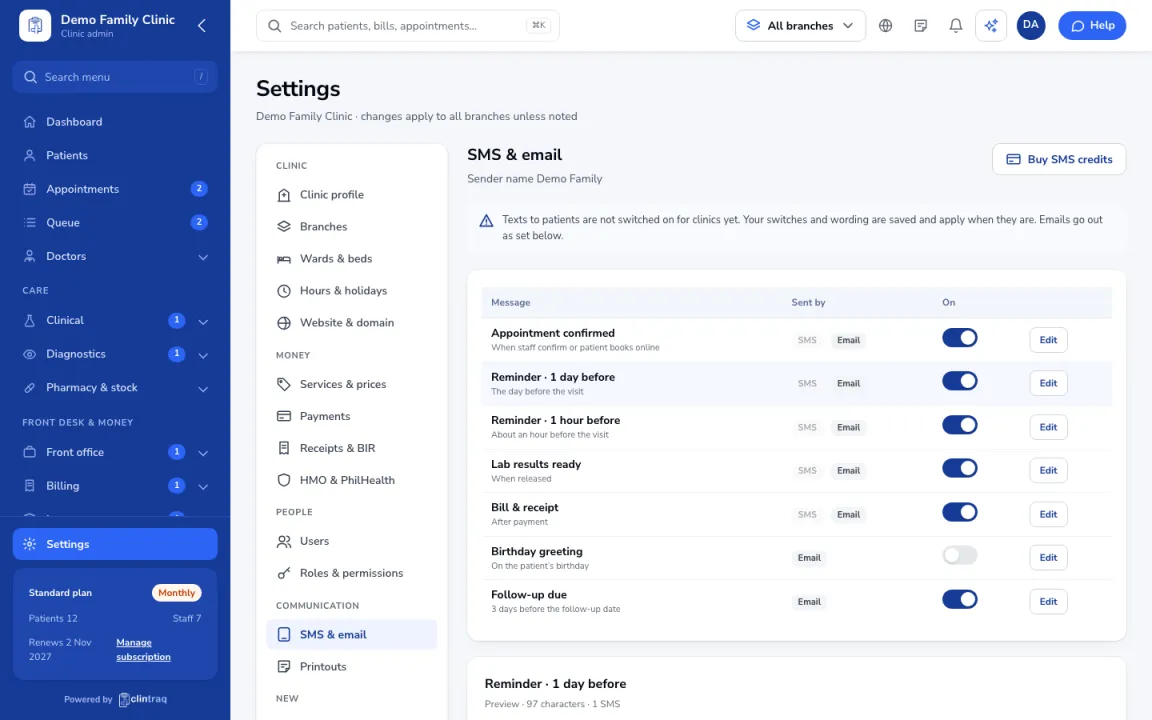
Choose your messages
Go to Settings › SMS & email. Each message (confirmation, reminders, results ready, receipt…) can be turned on or off and edited.
Edit the wording
Use the [first name], [doctor], [date], [time] and [branch] tags; the preview shows the character count.
Watch your credits
SMS use credits. Check usage at the top and click Buy SMS credits if you run low.
Was this article helpful?