

Set up a new clinic (first-day checklist)
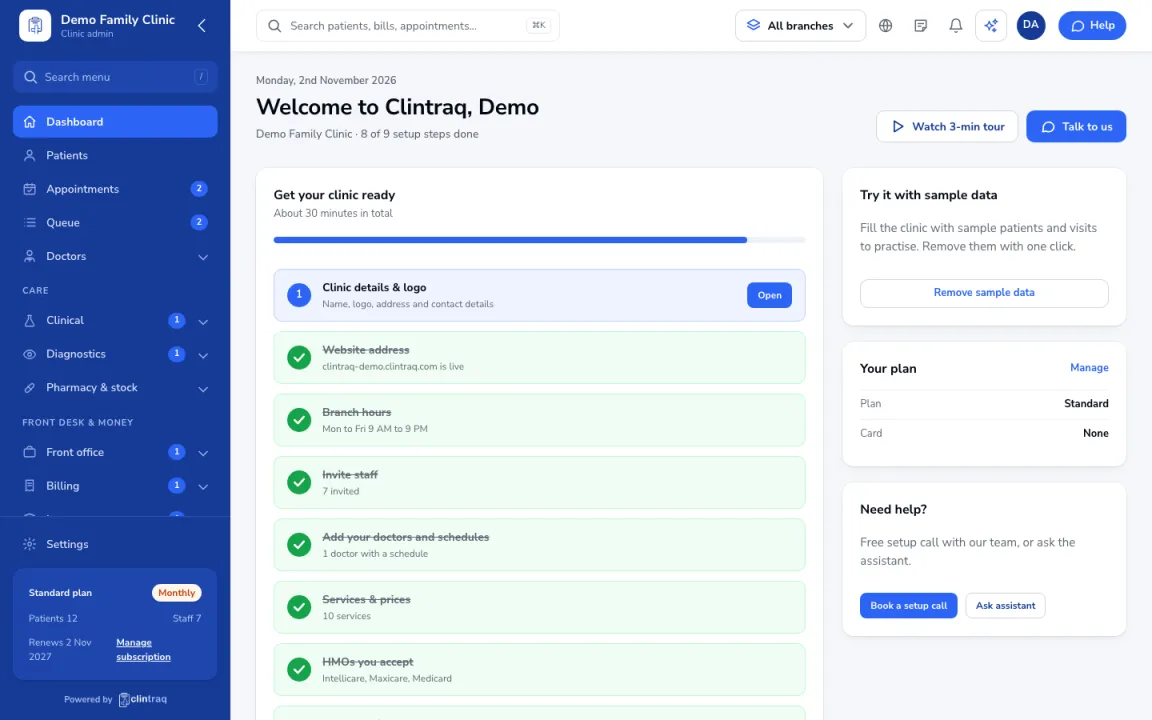
- Open the Dashboard. The “Get your clinic ready” checklist shows the 9 setup steps and how many are done.
- Do them in order: clinic details and logo, website address, branch hours, invite staff, add your doctors and schedules, services and prices, HMOs you accept, import patients, then turn on online booking.
- Doctors and their schedules must be added before patients can book.
- To practise first, click “Add sample data”. You can remove the sample patients and visits with one click.
Note: Need help? Use “Book a setup call” on the same page.
Was this article helpful?