

Close the day (cashier close)
End your shift by counting your cash, explaining any difference and sending the close to the accountant.
Start the close
At the end of your shift, go to Billing and click Close the day.
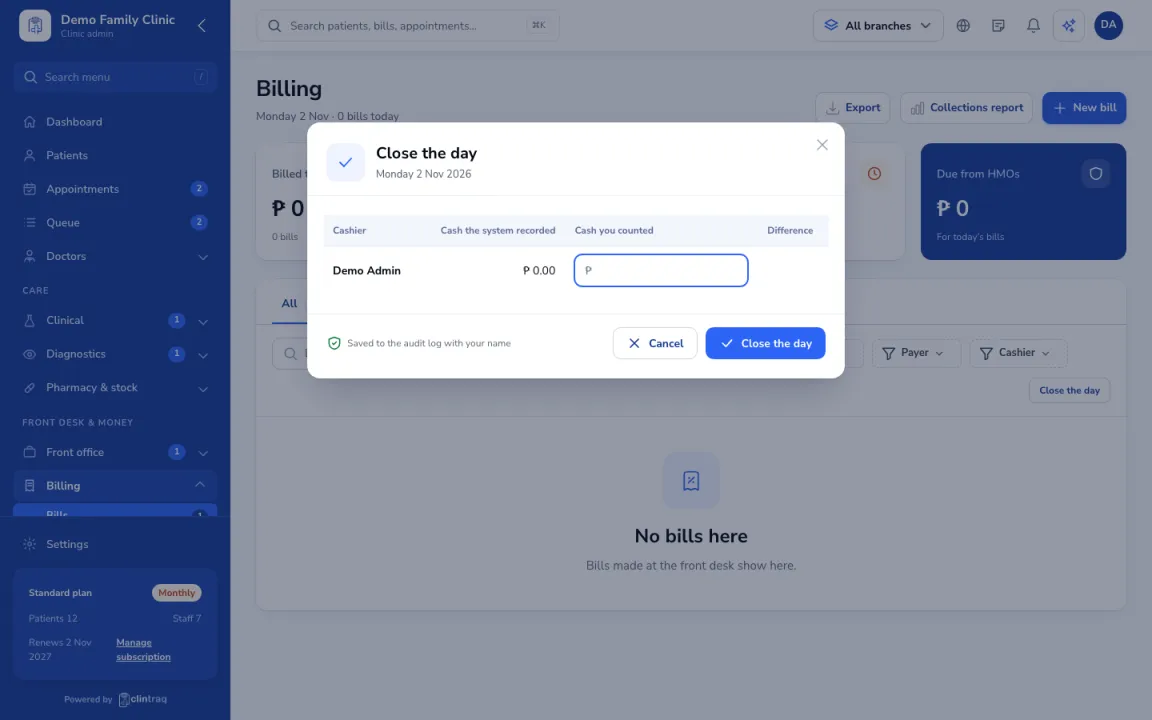
Count your cash
Count your cash and enter it. Clintraq compares it with the cash, GCash/Maya and card payments you received.
Submit
Explain any difference, then submit. The accountant reviews and approves the close, or sends it back.
On the phone
In the staff app, open More › Close the day.
Was this article helpful?