

Take payments online
Connect your own Xendit, PayMongo or HitPay account so patients can pay by link or when booking.
Connect your gateway
Go to Settings → Payments and set up Xendit, PayMongo or HitPay with your own account’s keys. Money goes straight to your account, not through Clintraq.
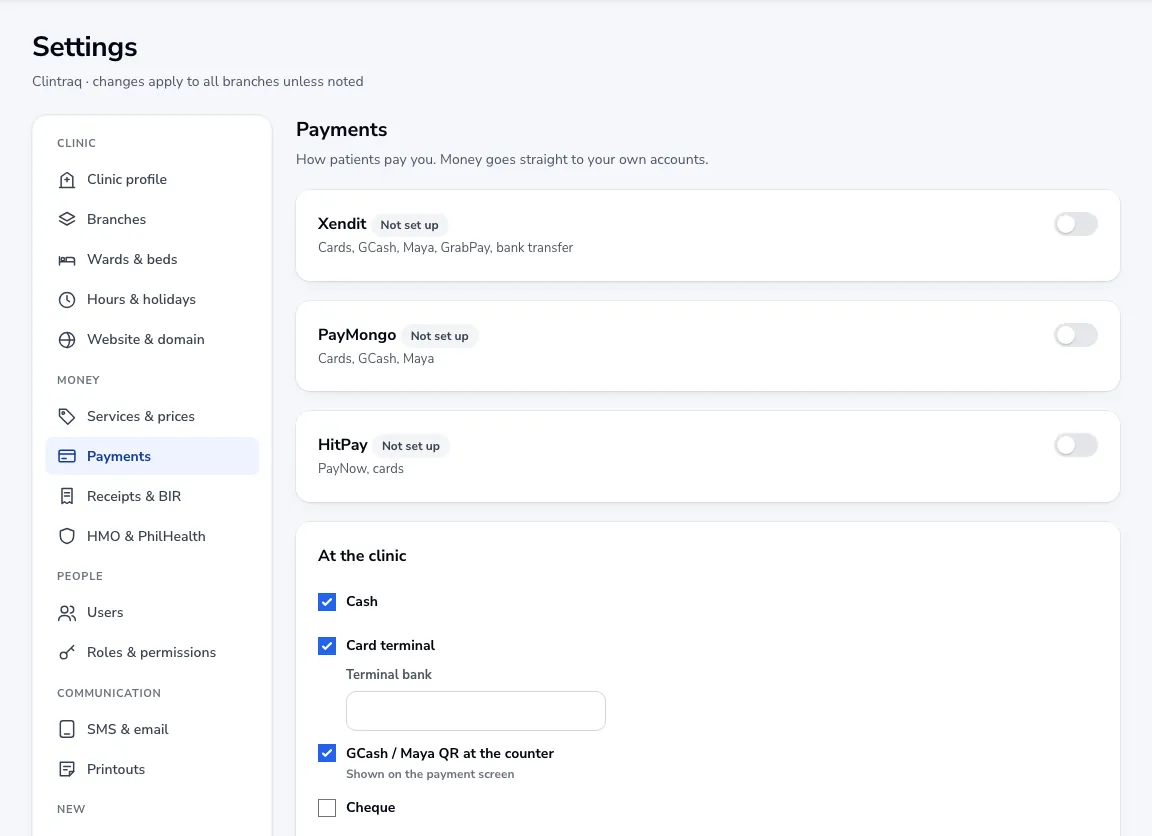
At the clinic
Tick how patients can pay at the desk: cash, card terminal, GCash or Maya QR at the counter (upload your QR) and cheque.
Payment links and online booking
Once a gateway is set up you can send a payment link when booking an appointment, and ask patients to pay the consultation fee when they book online.
When it counts
An online payment only counts once your gateway confirms it. You see them under Billing → Online transactions.
Was this article helpful?