

Close the day at the front desk
Count the cash in the drawer and compare it with what Clintraq recorded.
Open Close the day
On Billing or Payments, click Close the day.
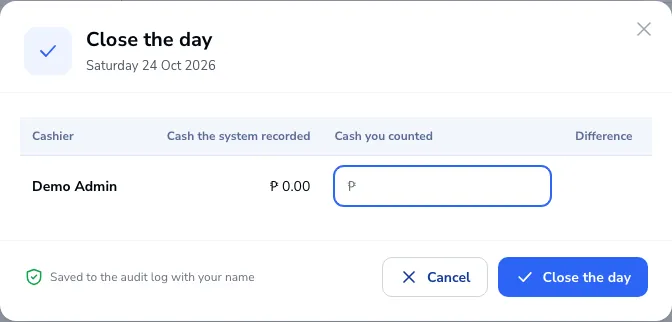
Enter what you counted
For each cashier you see the cash the system recorded. Type the cash you counted; the difference shows next to it.
Close
Click Close the day. It is saved to the audit log with your name.
Was this article helpful?