

Set up official receipts (BIR)
Enter your OR series and BIR permit details, VAT settings and receipt printer.
Open Receipts & BIR
Go to Settings → Receipts & BIR.
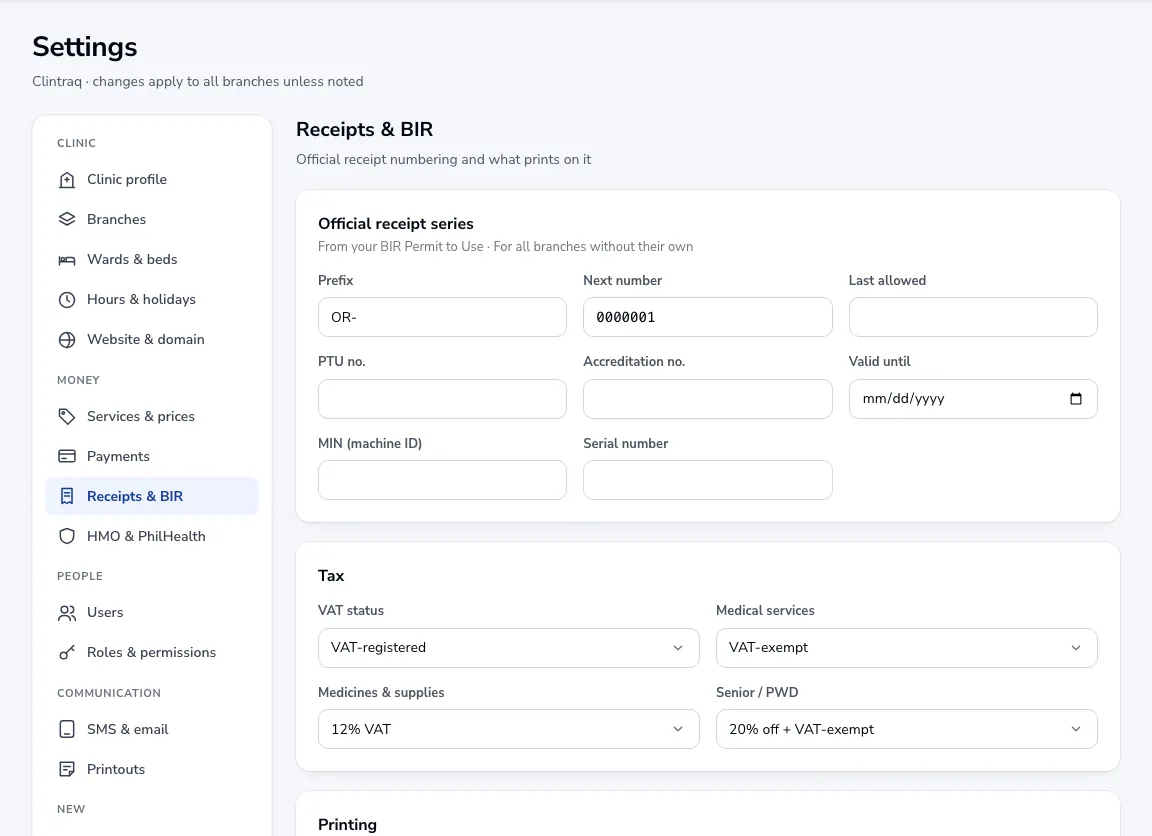
Your OR series
Enter the prefix, next number and last allowed number from your BIR Permit to Use, with the PTU and accreditation numbers and validity. Each branch can have its own series.
Tax
Choose VAT-registered or non-VAT, how medical services and medicines are taxed, and how senior and PWD discounts apply.
Printing
Pick the receipt printer (80 mm or 58 mm thermal, or A5), add a footer message and choose whether to email receipts to patients.
Was this article helpful?