

Turn on two-factor sign-in
Add a second step to your sign-in with an authenticator app, and keep backup codes in case you lose your phone.
Open Security
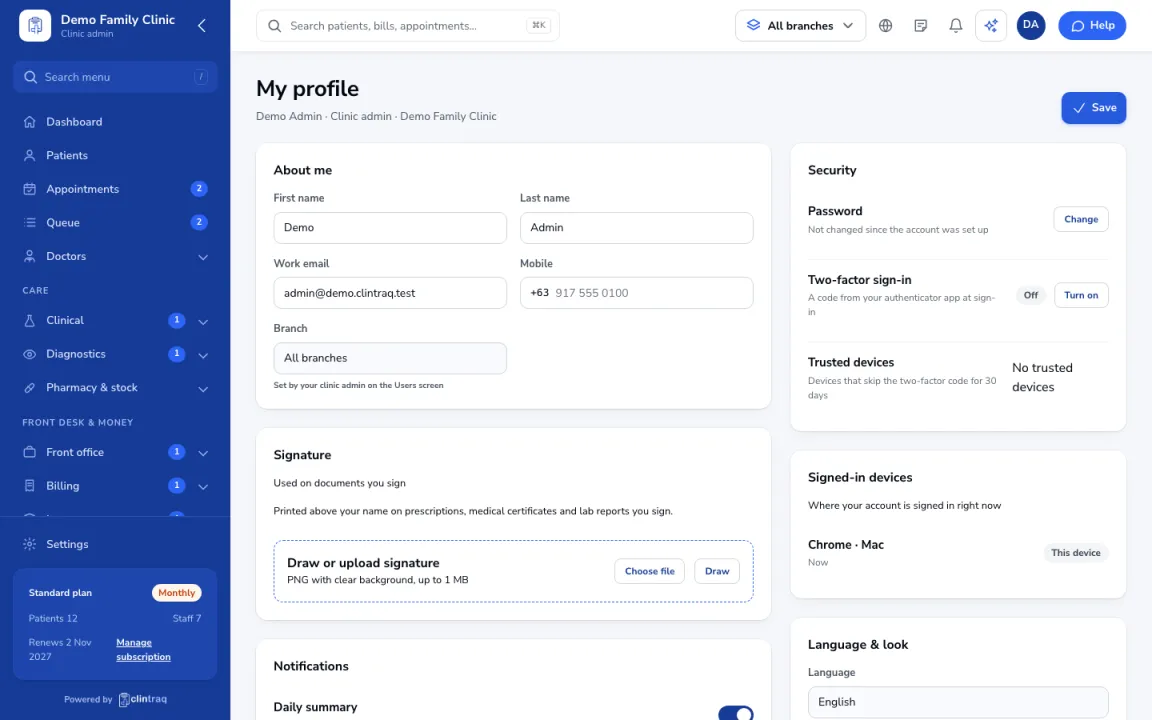
Click your name (top right), then My profile and go to Security.
Set up the app
Under Two-factor sign-in, set up an authenticator app and save your backup codes somewhere safe.
If you lose your phone
Sign in with a backup code, then set up two-factor again.
Require it for everyone
Clinic admins can require two-factor for everyone from Users (Require it for everyone).
Was this article helpful?