

Turn on two-factor sign-in
Protect your account with a code from an authenticator app.
Open My profile
Click your initials at the top right and choose My profile. Under Security, find Two-factor sign-in.
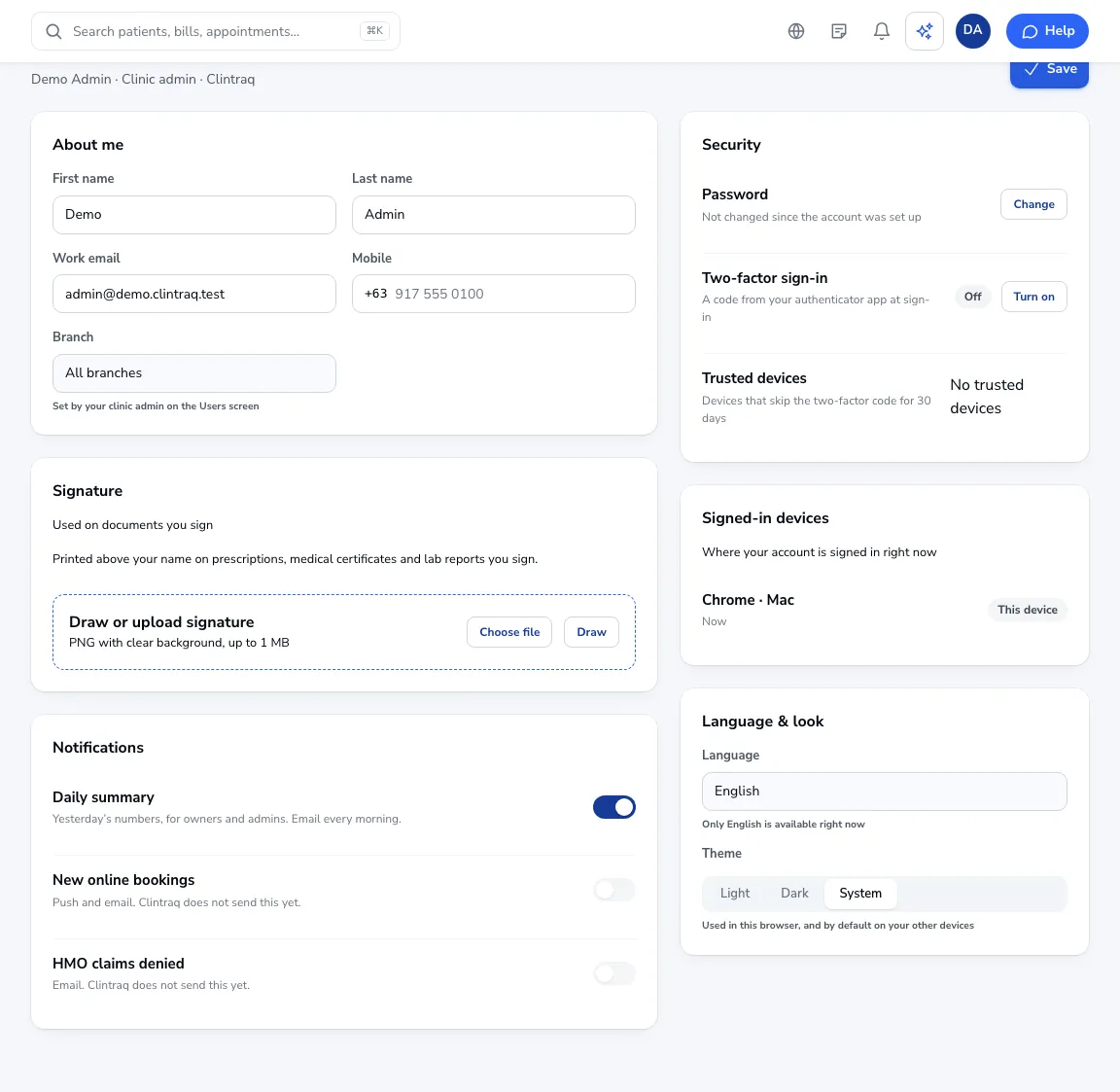
Turn it on
Click Turn on, scan the QR code with Google or Microsoft Authenticator, and enter the 6-digit code.
Keep your backup codes
You get backup codes next. Keep them somewhere safe: they let you in if you lose your phone.
Trusted devices
Devices you trust skip the code for 30 days. Sign out of a device you don’t recognise under Signed-in devices.
Was this article helpful?