

Make a custom role
Give staff exactly the access their job needs, area by area.
Open Roles & permissions
Go to Settings → Roles & permissions. Built-in roles can’t be edited.
Start from a built-in role
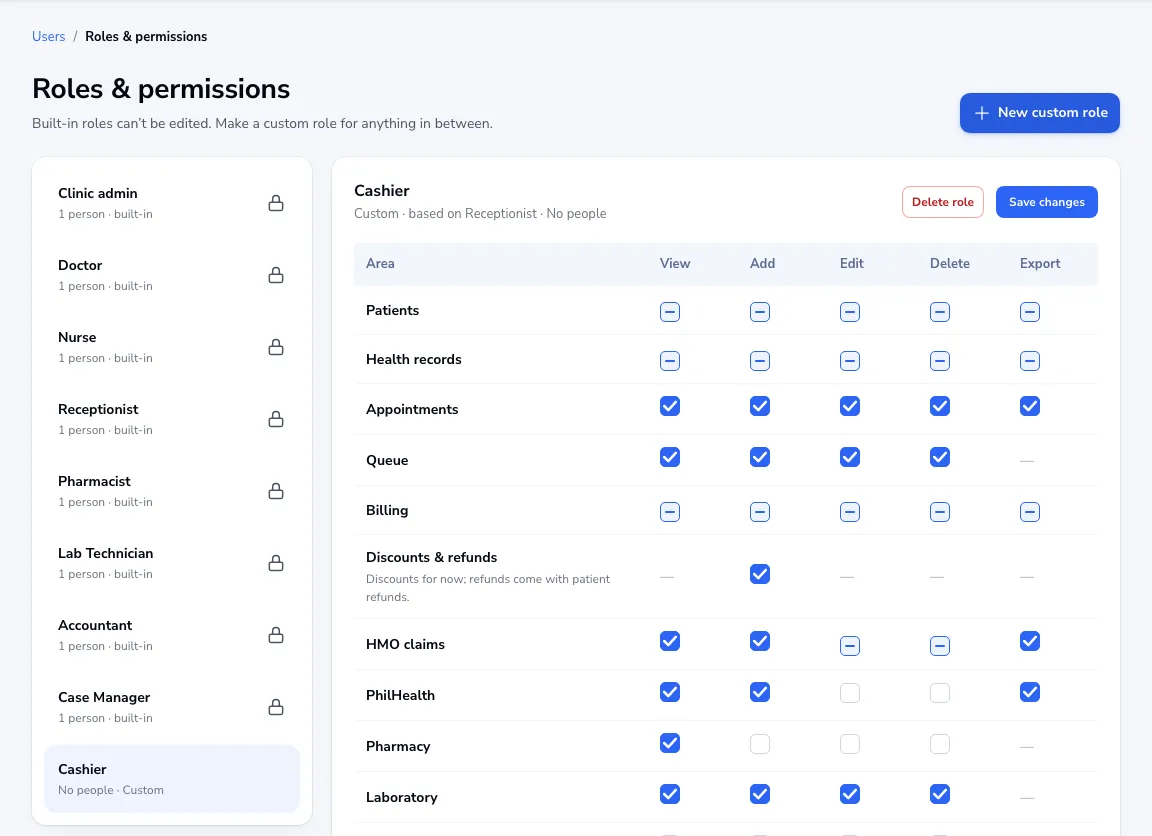
Click New custom role, name it and choose the role to base it on. It starts with what that role can do.
Tick what they can do
For each area (patients, health records, billing, HMO claims, pharmacy, reports and more) tick View, Add, Edit, Delete and Export. Set the largest discount they can give, whether they can see health records, and whether they only see their own branch.
Save and assign
Click Save changes, then give the role to people on the Users screen. They get exactly what you ticked.
Was this article helpful?