

Make a custom role (e.g. Cashier)
Create a role such as Cashier with exactly the access it needs, then assign it to your staff.
Start a new role
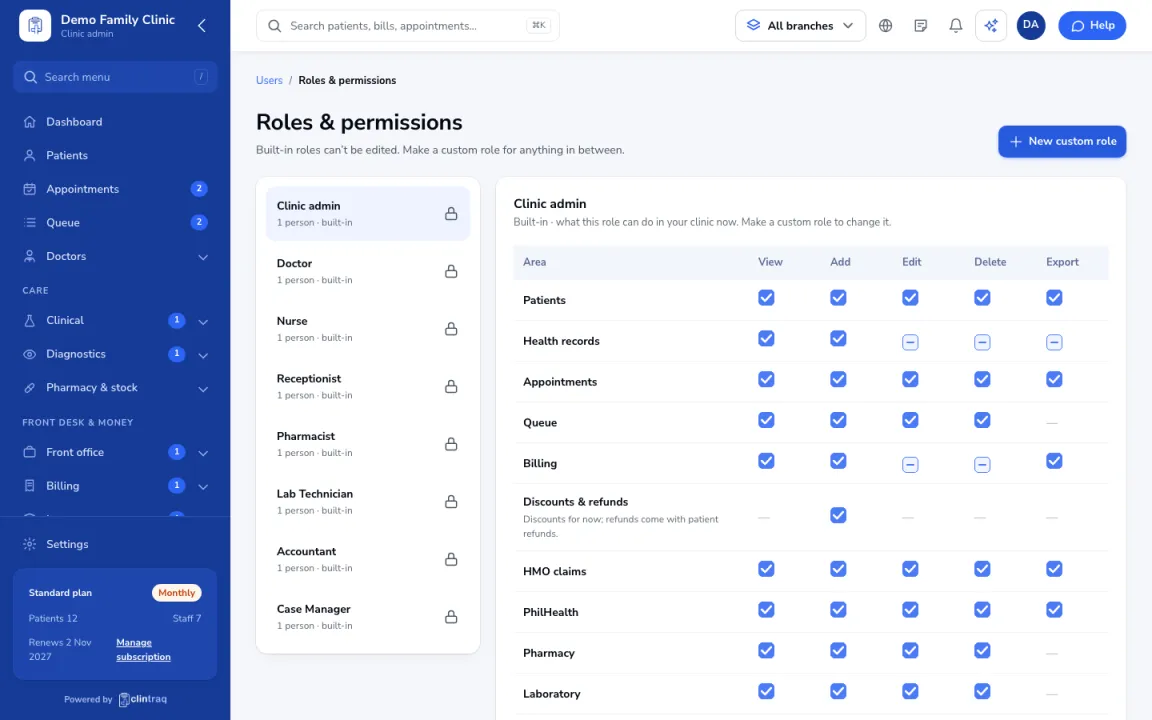
Go to Users › Roles & permissions. Built-in roles can't be edited, so click New custom role and pick the built-in role to start from (for example Receptionist for a cashier).
Set what they can do
Tick View / Add / Edit / Delete / Export for each area.
Set limits
Set Can give discounts up to (Senior and PWD discounts are always allowed). Also choose whether they can see health records, and whether they only see their own branch.
Save and assign
Click Save changes, then assign the role to people in Users.
Was this article helpful?