

Dispense a prescription
Fill a doctor's prescription, apply discounts, take payment and hand over the medicine.
Pick the prescription
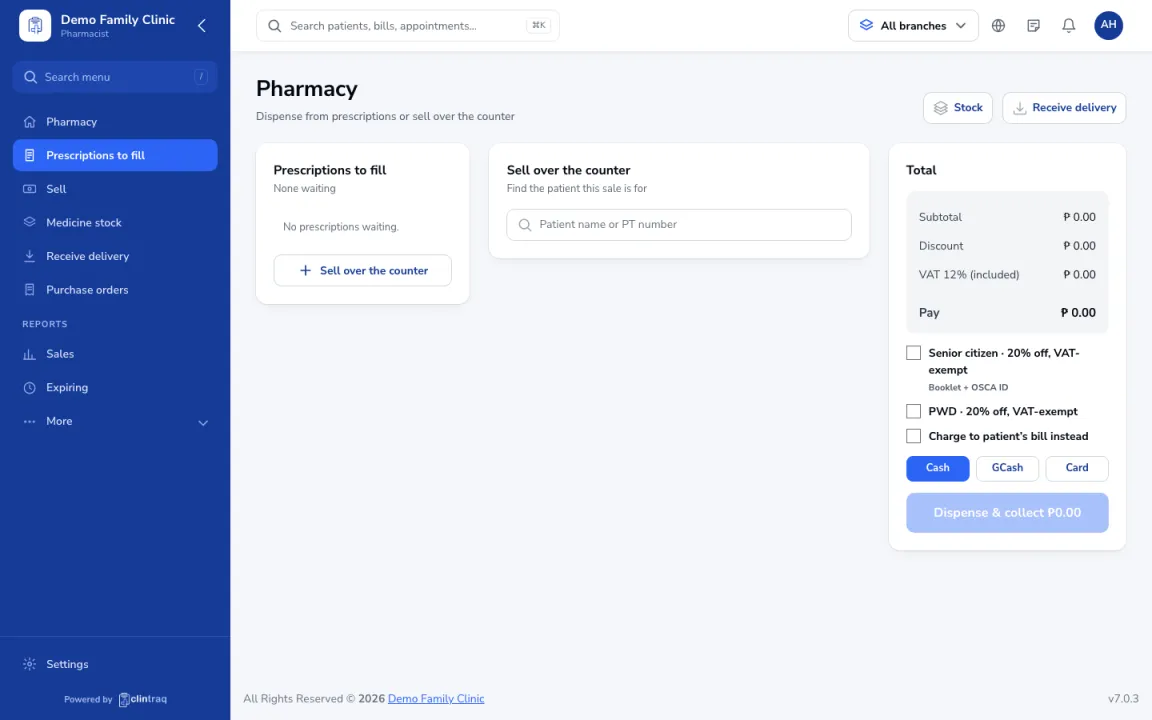
Go to Pharmacy & stock › Pharmacy. Prescriptions from doctors wait under Prescriptions to fill. Pick one, or scan the prescription QR.
Check allergies and lots
Check the allergy flags. Clintraq picks the oldest lot first.
Discounts and charging
Apply senior or PWD discounts if needed (booklet and OSCA ID), or charge it to the patient's bill.
Take payment
Take payment and click Dispense & collect.
Tip If a medicine clashes with an allergy, dispensing is stopped. The pharmacist can't override it; message the doctor.
Was this article helpful?