

Order and receive stock
Make a purchase order, then receive the delivery into lots with expiry dates.
Watch your stock
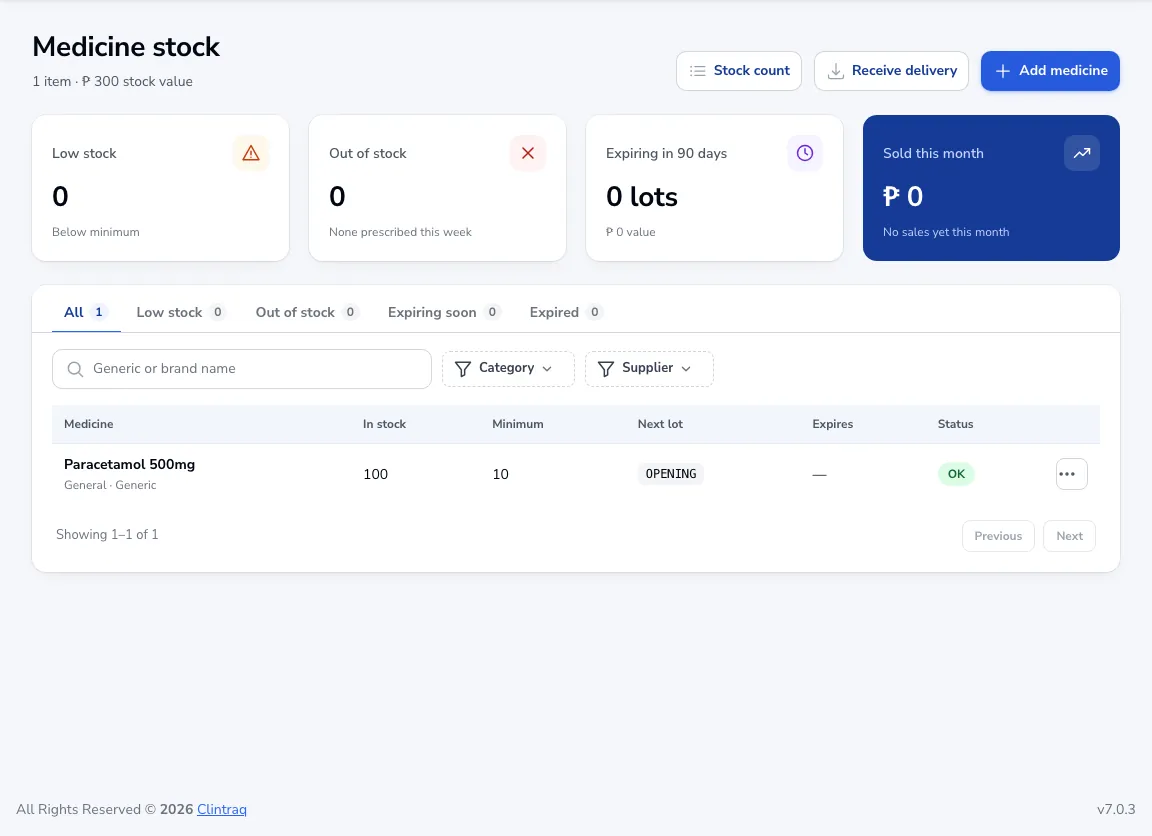
Medicine stock shows low and out-of-stock items, lots expiring in 90 days and this month’s sales.
Make a purchase order
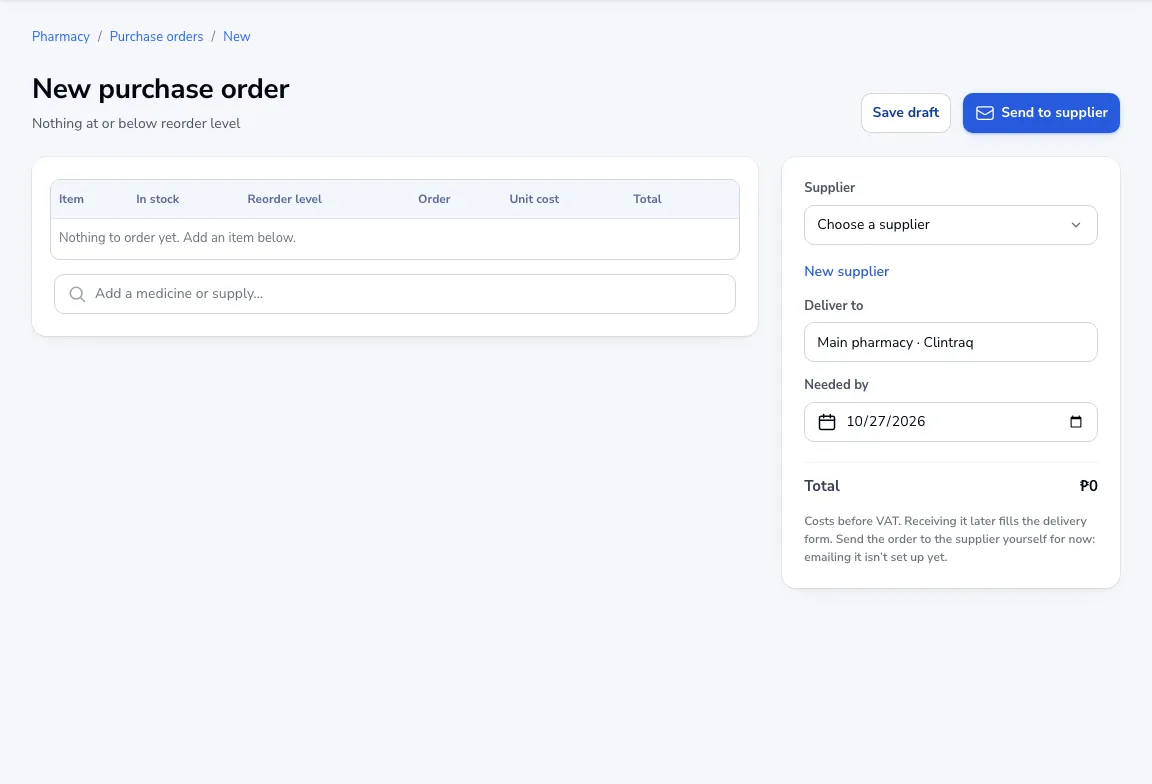
Go to Purchase orders → New. Items at or below their reorder level are added for you. Choose the supplier, where to deliver and when it’s needed, then save. Send the order to the supplier yourself for now.
Receive the delivery
Click Receive delivery, pick the purchase order it fills (or Delivery without a purchase order), and enter the lot numbers and expiry dates.
Was this article helpful?