

Record an HMO payment (remittance)
Record an HMO remittance, match it to claims and close paid ones while short or denied ones stay open.
Start the payment
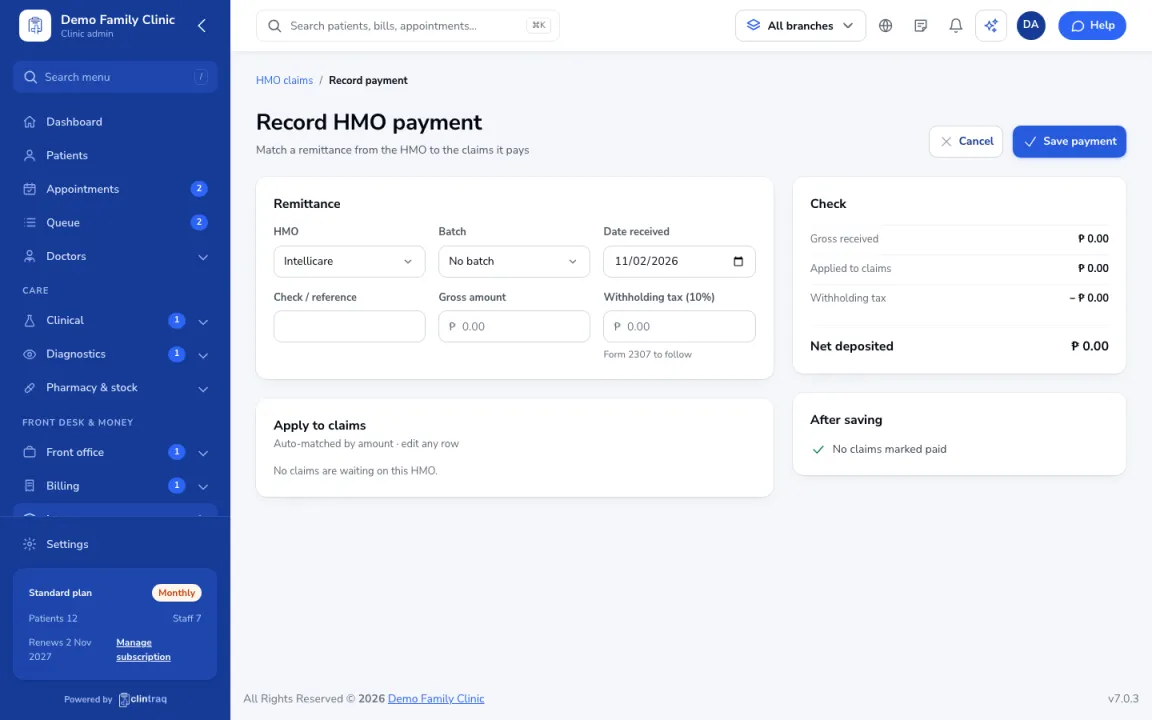
In Insurance › HMO claims, click Record HMO payment, then pick the HMO and the batch.
Enter the details
Enter the date, check or reference number, gross amount and the 2% withholding tax.
Match the claims
Clintraq matches the amount to the claims. Edit any row that was paid short or denied.
Save
When it is balanced, save. Paid claims close; short or denied ones stay open to follow up.
Was this article helpful?