

Submit HMO claims in a batch
Group the claims that are ready for one HMO, print the transmittal and mark them submitted.
See what’s ready
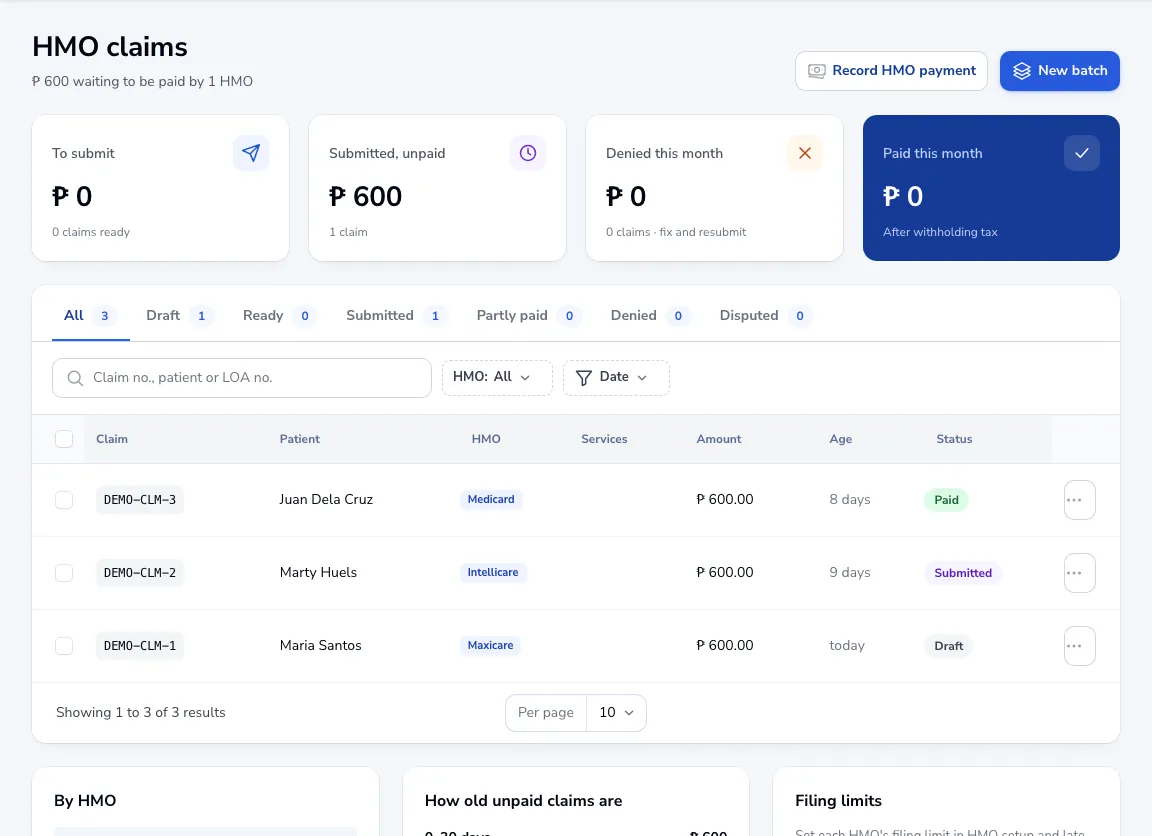
Go to HMO claims. The tabs show Draft, Ready, Submitted, Partly paid, Denied and Disputed claims, with how old unpaid claims are and what each HMO owes.
Make a batch
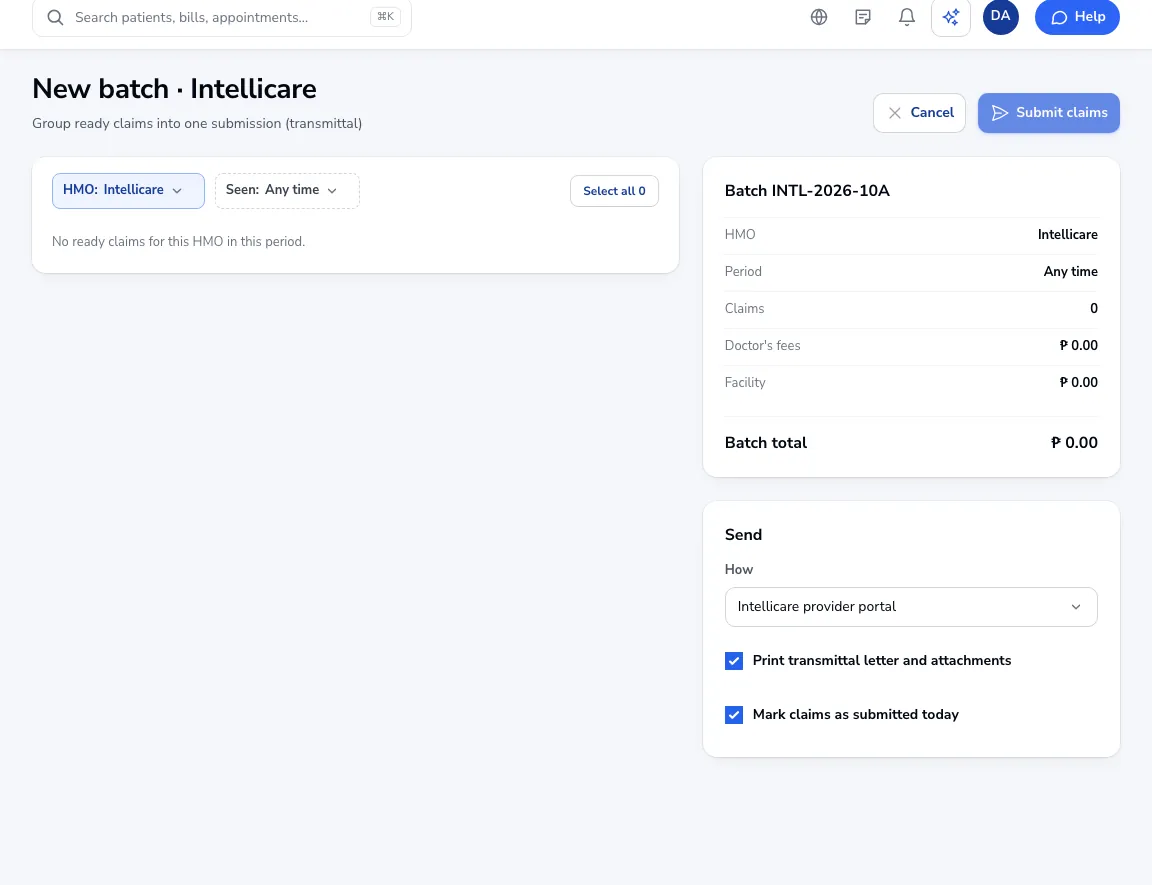
Click New batch, choose the HMO and the period. Tick the ready claims to include.
Send it
Choose how you send it (provider portal, email, courier or by hand). Tick Print transmittal letter and attachments and Mark claims as submitted today, then click Submit claims.
Tip Set each HMO’s filing limit in HMO setup and claims close to the deadline show up on this page.
Was this article helpful?