

Prepare a PhilHealth CF2 claim
Check, validate and mark a PhilHealth CF2 claim ready, then export it for eClaims.
Open the claim
Open the claim from Insurance › PhilHealth. It is drafted from the admission or visit.
Check the details
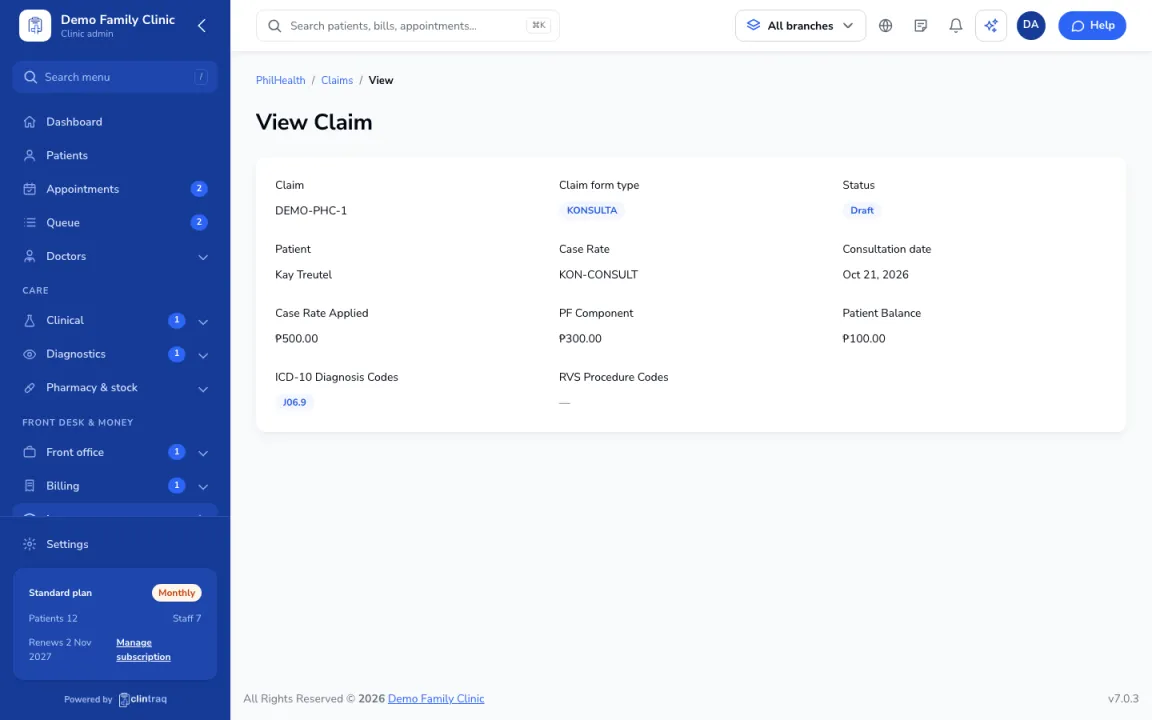
Check the patient and member details, admission and discharge dates, and the attending doctor's PAN.
Diagnosis and case rate
Confirm the final diagnosis and case rate. Clintraq splits it into doctor's fee and hospital share.
Attach and validate
Attach CF1, CF2, the statement of account and any results. Click Validate and fix any failed checks.
Mark ready
Mark it ready, then export it for eClaims (see "Export PhilHealth claims for eClaims").
Tip Clintraq warns you about the 60-day filing window and the 45-day yearly benefit limit.
Was this article helpful?