

Book an appointment
Book a patient with a doctor at a free time, in the clinic or by video.
Start a booking
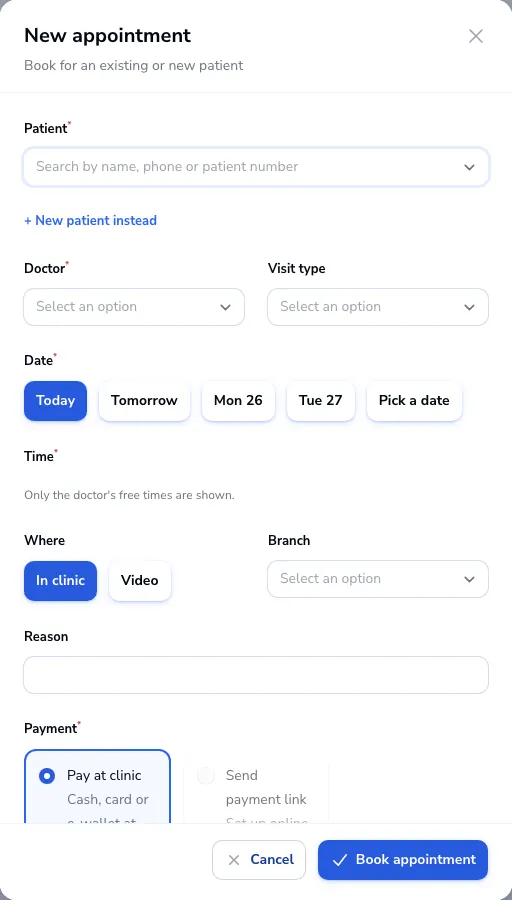
Click New appointment on the dashboard or on Appointments.
Choose the patient
Search by name, phone or patient number. For someone new, click New patient instead.
Pick the doctor and time
Choose the doctor and visit type, then the date. Only the doctor’s free times are shown. Choose In clinic or Video and the branch.
Payment
Choose Pay at clinic for cash, card or e-wallet at the desk, or Send payment link so the patient pays online first. Payment links need online payments set up in Settings → Payments.
Book
Leave Email a confirmation and reminders ticked to email the patient a confirmation and reminders a day and an hour before. Click Book appointment.
Was this article helpful?