

Turn on online booking
Let patients book from your website, confirmed by a code sent to their email.
Open booking settings
Go to Website → Online booking.
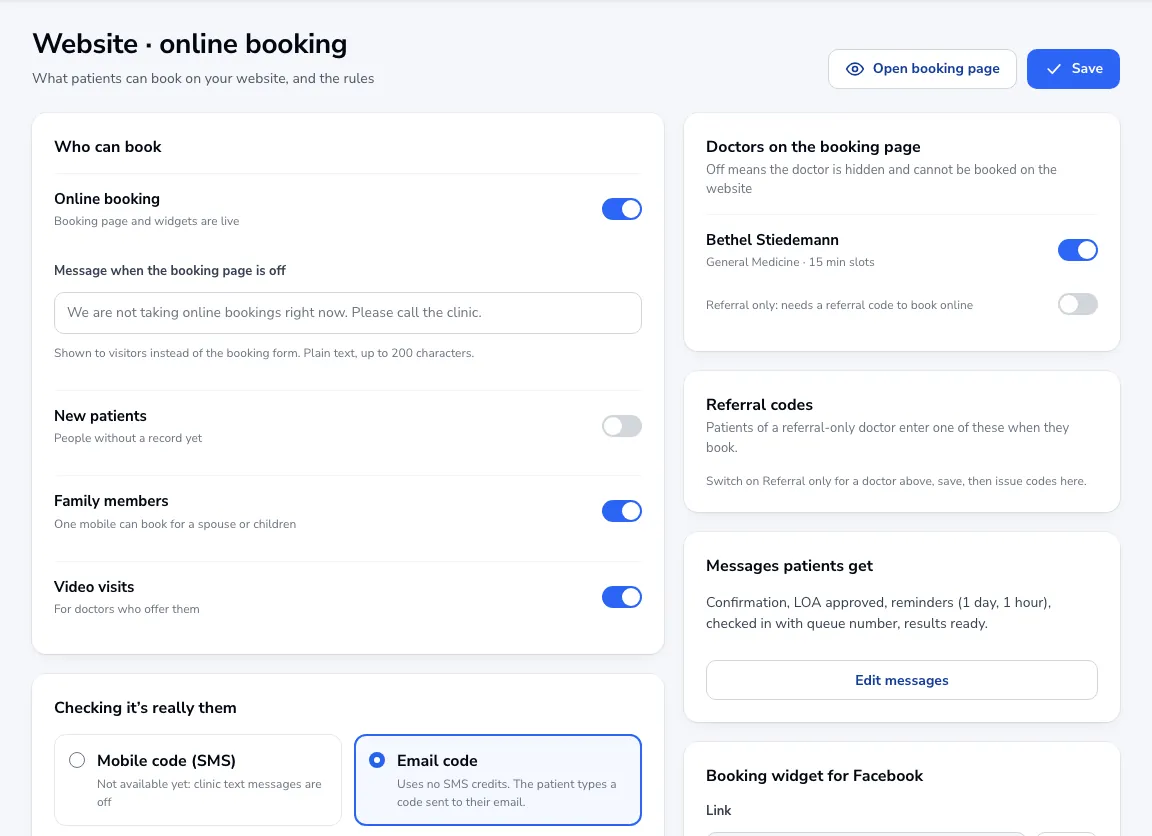
Who can book
Switch on Online booking, and choose whether new patients, family members and video visits can book.
Checking it’s really them
Patients confirm with a code sent to their email. (A mobile code isn’t available yet because clinic text messages are off.)
Approval and payment
Choose Confirm automatically or Staff approve each one. You can ask patients to pay when they book, set free cancellation hours, and pick which doctors appear.
Save
Click Save. Use Open booking page to see what patients see.
Was this article helpful?