

Choose a theme for your website
Pick a layout made for your kind of clinic, add your colour and photos, and publish.
Pick a theme
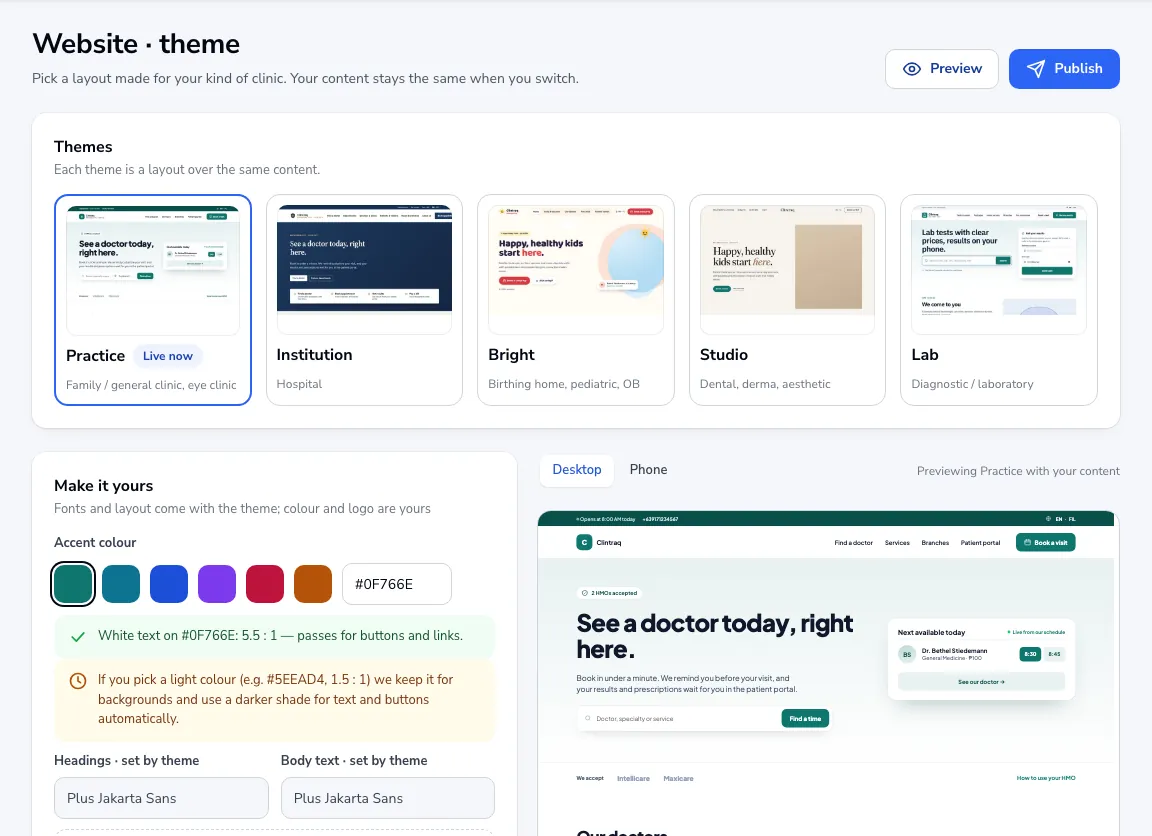
Go to Website → Theme. Choose Practice, Institution, Bright, Studio or Lab. Your content stays the same when you switch.
Make it yours
Choose an accent colour. If it is too light for text, a darker shade is used for buttons and links automatically. Upload your logo and photos.
Pages and sections
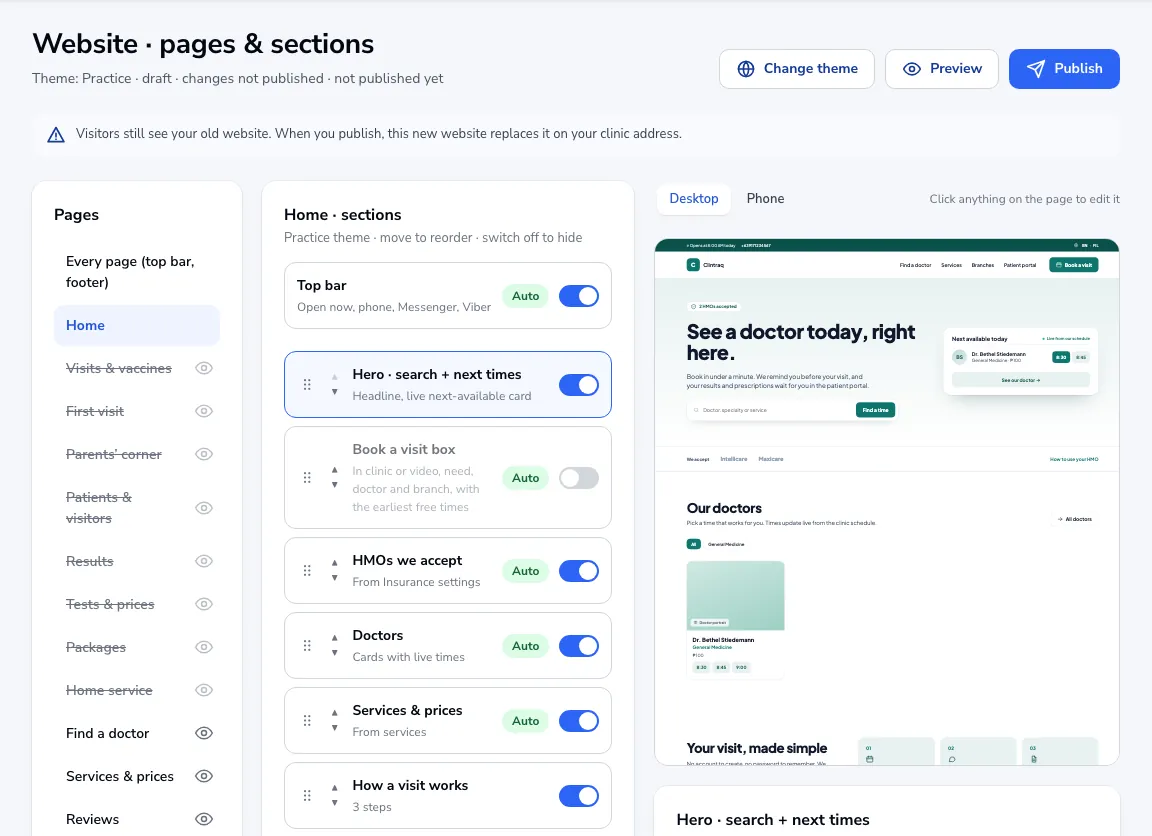
Under Pages & sections, switch sections on or off and move them up or down. Many sections fill themselves from your doctors, services, branches and HMOs.
Publish
Click Preview to check it, then Publish. Visitors see the old version until you publish.
Was this article helpful?